

 5 Cpd-Accredited Courses in One Bundle
The Complete Teaching Assistant Bundle Courses
Teaching Assistant, SEN, Autism, ADHD and Dyslexia in a single enrolment. Learn how schools support every child, at your own pace, and finish with a CPD certificate.
One-off PaymentEverything included · 1 Year Access
 Great 1,908 Reviews
 14-day money-back guarantee
 Instant access
 Secure checkout






Everything’s Included.
Learn With Peace Of Mind, You’ve Got You Covered.
WHAT'S INCLUDED
- Unlimited Employees
- Unlimited Course Assignments
- Employee Progress Tracking
- 1-Year Access
- 150+ Compliance Courses
- Corporate Dashboard
- Completion Monitoring
- No Recurring Fees
- Monthly Subscription
- Seat Limits
- Per-Employee Fees
- Per-Course Fees
England’s Classrooms Are Short of Trained Support
Published Figures, Not Projections. They're Why This Bundle Covers SEN, Autism, ADHD And Dyslexia Rather Than Treating Them As Extras.
- 295,200Full-time-equivalent teaching assistants in England, a workforce that grew by 6,200 in a single year.
- 538,500Pupils in England with an EHC plan, up 11.6% in a single year. Autism is the most common primary need among them.
- 8 in 10UK teaching assistants work part-time, which is why the role suits people who need the school day, not the office day.
What You’ll Know After Completing All
Courses in This Bundle
- Understand the role and responsibilities of a teaching assistant
- Understand and manage pupil behaviour and relationships
- Communicate clearly to support and engage pupils
- Understand child development and the specific needs of SEN pupils
- Work with school policies, curriculum assessment and monitoring
- Create a learning environment where every pupil can do their best
Eleven Courses. One Enrollment.
877 Lessons, 52h 09m Of Video, With Mock And Final Exams Included. Open Any Course To See Its Lessons.
 Mock exam
 Final Exams: 11
 Certificate and transcript
 Audited and Updated: 28th Sep 2026
01Python & TensorFlow: Deep Dive into Machine Learning & AICPD Accredited
Register on the today and build the experience, skills and knowledge you need to enhance your professional development and work towards your dream job. Study …. What you'll study:
- What is Machine Learning?
- Types of Machine Learning
- Applications of Machine Learning
- What is Deep Learning?
- What is TensorFlow?
- Installing and Setting up TensorFlow
- TensorFlow Architecture
- A refresher on APIs
- TensorFlow APls
- What is Supervised Learning?
- Linear Regression
- Logistic Regression
- Decision Trees
- Random Forests
- Support Vector Machines (SVMs)
- What is Unsupervised Learning?
- K-Means Clustering
- Hierarchical Clustering
- Principal Component Analysis (PCA)
- What are Neural Networks?
- Basic Neural Networks
- Convolutional Neural Networks (CNNs)
- Recurrent Neural Networks (RNNs)
- Building Deep Neural Networks
- Training and Testing Data
- Model Evaluation Metrics
- Overfitting and Underfitting
- Hyperparameter Tuning
- Saving and restoring models
- Deploying TensorFlow models
- Distributed TensorFlow
- TensorBoard for visualization and debugging
- ML Project: Image Classification Model
- Conclusion
- Order your Certificates & Transcripts
02Machine Learning for Aspiring Data ScientistsCPD Accredited
Register on the today and build the experience, skills and knowledge you need to enhance your professional development and work towards your dream job. Study …. What you'll study:
- Modeling an epidemic
- The machine learning recipe
- The components of a machine learning model
- Why model?
- On assumptions and can we get rid of them?
- The case of AlphaZero
- Overfitting/underfitting/bias/variance
- Why use machine learning
- The InsureMe challenge
- Supervised learning
- Linear assumption
- Linear regression template
- Non-linear vs proportional vs linear
- Linear regression template revisited
- Loss function
- Training algorithm
- Code time
- R squared
- Why use a linear model?
- Introduction to scaling
- Min-max scaling
- Code time (min-max scaling)
- The problem with min-max scaling
- What’s your IQ?
- Standard scaling
- Code time (standard scaling)
- Model before and after scaling
- Inference time
- Pipelines
- Code time (pipelines)
- Spurious correlations
- L2 regularization
- Code time (L2 regularization)
- L2 results
- L1 regularization
- Code time (L1 regularization)
- L1 results
- Why does L1 encourage zeros?
- L1 vs L2: Which one is best?
- Introduction to validation
- Why not evaluate model on training data
- The validation set
- Code time (validation set)
- Error curves
- Model selection
- The problem with model selection
- Tainted validation set
- Monkeys with typewriters
- My own validation epic fail
- The test set
- What if the model doesn’t pass the test?
- How not to be fooled by randomness
- Cross-validation
- Code time (cross validation)
- Cross-validation results summary
- AutoML
- Is AutoML a good idea?
- Red flags: Don’t do this!
- Red flags summary and what to do instead
- Your job as a data scientist
- Intro and recap
- Mistake #1: Data leakage
- The golden rule
- Helpful trick (feature importance)
- Real example of data leakage (part 1)
- Real example of data leakage (part 2)
- Another (funny) example of data leakage
- Mistake #2: Random split of dependent data
- Another example (insurance data)
- Mistake #3: Look-Ahead Bias
- Example solutions to Look-Ahead Bias
- Consequences of Look-Ahead Bias
- How to split data to avoid Look-Ahead Bias
- Cross-validation with temporally related data
- Mistake #4: Building model for one thing, using it for something else
- Sketchy rationale
- Why this matters for your career and job search
- Classifying images of handwritten digits
- Why the usual regression doesn’t work
- Machine learning recipe recap
- Logistic model template (binary)
- Decision function and boundary (binary)
- Logistic model template (multiclass)
- Decision function and boundary (multi-class)
- Summary: binary vs multiclass
- Code time!
- Why the logistic model is often called logistic regression
- One vs Rest, One vs One
- Where we’re at
- Brier score and why it doesn’t work
- The likelihood function
- Optimization task and numerical stability
- Let’s improve the loss function
- Loss value examples
- Adding regularization
- Binary cross-entropy loss
- Recap
- No closed-form solution
- Naive algorithm
- Fog analogy
- Gradient descent overview
- The gradient
- Numerical calculation
- Parameter update
- Convergence
- Analytical solution
- [Optional] Interpreting analytical solution
- Gradient descent conditions
- Beyond vanilla gradient descent
- Code time
- Reading the documentation
- Binary classification and class imbalance
- Assessing performance
- Accuracy
- Accuracy with different class importance
- Precision and Recall
- Sensitivity and Specificity
- F-measure and other combined metrics
- ROC curve
- Area under the ROC curve
- Custom metric (important stuff!)
- Other custom metrics
- Bad data science process
- Data rebalancing (avoid doing this!)
- Stratified split
- The inverted MNIST dataset
- The problem with linear models
- Neurons
- Multi-layer perceptron (MLP) for binary classification
- MLP for regression
- MLP for multi-class classification
- Hidden layers
- Activation functions
- Decision boundary
- Loss function
- Intro to neural network training
- Parameter initialization
- Saturation
- Non-convexity
- Stochastic gradient descent (SGD)
- More on SGD
- Code time!
- Backpropagation
- The problem with MLPs
- Deep learning
- Decision trees
- Building decision trees
- Stopping tree growth
- Pros and cons of decision trees
- Decision trees for classification
- Decision boundary
- Bagging
- Random forests
- Gradient-boosted trees for regression
- Gradient-boosted trees for classification [optional]
- How to use gradient-boosted trees
- Nearest neighbor classification
- K nearest neighbors
- Disadvantages of k-NN
- Recommendation systems (collaborative filtering)
- Introduction to Support Vector Machines (SVMs)
- Maximum margin
- Soft margin
- SVM vs Logistic Model (support vectors)
- Alternative SVM formulation
- Dot product
- Non-linearly separable data
- Kernel trick (polynomial)
- RBF kernel
- SVM remarks
- Intro to unsupervised learning
- Clustering
- K-means clustering
- K-means application example
- Elbow method
- Clustering remarks
- Intro to dimensionality reduction
- PCA (principal component analysis)
- PCA remarks
- Code time (PCA)
- Missing data
- Imputation
- Imputer within pipeline
- One-Hot encoding
- Ordinal encoding
- How to combine pipelines
- Code sample
- Feature Engineering
- Features for Natural Language Processing (NLP)
- Anatomy of a Data Science Project
- Order your Certificates & Transcripts
03Python for Game Programming: Pygame from A to ZCPD Accredited
Register on the Python for Game Programming: Pygame from A to Z today and build the experience, skills and knowledge you need to enhance your professional development and work towards your dream job. What you'll study:
- Introduction to Pygame and its capabilities
- Setting up a Pygame development environment
- Creating a Pygame window and basic game loop
- Course Materials
- Drawing shapes on a surface
- Handling keyboard events and frame rates
- Adding boundaries
- Adding Jump logic
- Adding a background image
- Introduction to sprites
- Moving and animating sprites
- Object-oriented programming
- Projectiles
- Adding enemy
- Collision: Manual hitbox
- Implementing collision detection using .Rect()
- Displaying text & adding scores
- Adding Health bars
- Implementing sound effects and background music
- Fixing bugs
- Game design
- Creating a snake
- Moving the Snake
- Adding boundaries to the snake
- Adding apple
- Detect when snake eats apple
- Scores and Game over
- Errors fixing
- Introduction to the game
- Creating spaceship
- Shooting with spaceship
- Adding enemies
- Add shooting to enemies
- Adding bullets collisions
- Adding sound effects, scores and Game over
- Introduction and game design
- Adding a car
- Drawing background images and crash check
- Adding enemy cars and car collisions
- Introduction to scrolling background
- Adding game difficulty levels
- Adding main menu page and menu buttons
- Fixing errors and Making buttons interactive
- Conclusion
- Order your Certificates & Transcripts
04Python Web Scraping: Data Extraction with Beautiful SoupCPD Accredited
Learn Python web scraping with Beautiful Soup and develop essential skills for extracting and processing webpage data online. What you'll study:
- Course Outline
- What is Web Scraping?
- Why use Python for Web Scraping?
- Applications of Web Scraping
- Is Web Scraping legal?
- Course Materials
- Anaconda Installation: Mac and Linux
- Anaconda Installation: Windows
- Doctype
- Head Tag
- Body Tag
- Head and Paragraph tags
- List tags
- Table tags
- Anchor tags
- Grouping tags
- Class
- Id selector
- Tag or element
- Attribute selectors
- Pseudo class selectors
- What is a request?
- GET request
- POST request
- PUT request
- DELETE request
- How to make requests in Python?
- HTTP Response codes
- What is Beautiful Soup?
- Inspecting a website on the browser
- How to get the HTML code from a website
- By element name
- Using find and find_all methods
- Using CSS selectors: Element or tag name
- Using CSS selectors: ID and Class names
- Using CSS selectors: Pseudo class selector
- Using CSS selectors: Attribute name
- Project Description – 1
- Inspecting the website and identifying the key elements – 1
- Scraping the website – 1
- Project Description – 2
- Inspecting the website – 2
- Scraping the website – 2
- Project Description – 3
- Inspecting the website – 3
- Scraping the website – 3
- Project Description – 4
- Inspecting the website – 4
- Scraping the website – 4
- Order your Certificates & Transcripts
05Python for Data Visualization: The Complete MasterclassCPD Accredited
Register on the today and build the experience, skills and knowledge you need to enhance your professional development and work towards your dream job. What you'll study:
- Installing the Anaconda Navigator
- Installing Matplotlib, seaborn & cufflinks
- Reading data from a csv file with pandas
- Explaining Matplotlib libraries apart
- Changing the axis scales
- Label Styling
- Adding a legend
- Changing colors, linestyles, linewidth and markers
- Adding a grid to the chart
- Filling only a specific area
- Filling area on line plots and filling only specific area
- Changing fill color of different areas (negative vs positive for example)
- Changing edge color and adding shadow on the edge
- Adding legends, titles, location and rotating pie chart
- Histograms vs Bar charts (Part 1)
- Histograms vs Bar charts (Part 2)
- Changing edge colour of the histogram
- Changing the axis scale to log scale
- Adding median to histogram
- Advanced Histograms and Patches (Part 1)
- Advanced Histograms and Patches (Part 2)
- Overlaying bar plots on top of each other (Part 1)
- Overlaying bar plots on top of each other (Part 2)
- Creating Box and Whisker Plots
- Plotting a basic stack plot
- Plotting a stem plot
- Plotting a stack plot od data with constant total
- Plotting a basic scatter plot
- Changing the size of the dots
- Changing colors of markers
- Adding edges to dots
- Using the Python datetime module
- Connecting data points by line
- Converting string dates using the .to_datetime() pandas method
- Plotting live data using FuncAnimation in matplotlib
- Setting up the number of rows and columns
- Plotting multiple plots in one figure
- Getting separate figures
- Saving figures to your computer
- Introduction to seaborn
- Working on hue, style and size in seaborn
- Subplots using seaborn
- Line plots
- Cat plots
- Jointplot, pair plot and regression plot
- Controlling Plotted Figure Aesthetics
- Installation and Setup
- Line, Scatter, Bar, box and area plot
- 3D plots, spread plot and hist plot, bubble plot, and heatmap
06Python GUI Development with Tkinter: Build Pro Desktop Apps!CPD Accredited
Register on the today and build the experience, skills and knowledge you need to enhance your professional development and work towards your dream job. Study …. What you'll study:
- What is Tkinter?
- Getting Started with Tkinter
- Basic structure of a Tkinter program
- Course Materials
- Introduction to widgets
- The Label Widget
- The Entry Widget
- The Button Widget
- The Checkbutton Widget
- The Radiobuttton
- Drawing with Canvas
- Widgets in Window with the frame widget
- Making a List with the Listbox
- Let’s make a Menu
- Menu with Menubutton
- Multiple lines with Message
- The Scale like a thermometer
- Scrolling Through a List
- The Text widget
- The Toplevel Application
- The Spinbox Widget
- Dividing with panes
- Grouping labels with Labelframe
- Messagebox and desktop prompts
- Introduction to Attributes
- Dimensions
- Colours
- Attention and Fonts
- Widgets Anchors
- Relief Styles
- Bitmaps
- Cursors
- The .pack() geometry manager
- The .grid() geometry manager
- The .place() geometry manager
- Project Calculator
- Conclusion
07Python for OOP: The A-to-Z OOP Python Programming CourseCPD Accredited
Register on the Python for OOP: The A-to-Z OOP Python Programming Course today and build the experience, skills and knowledge you need to enhance your professional development and work towards your dream job. What you'll study:
- Introduction to Object Oriented Programming
- Course Materials
- Create Your First Class with OOP
- Classes in Detail
- Exercise on Class
- Methods
- Exercise 1 on Methods
- Exercise 2 on Methods
- Class Variables
- Exercise on Class Variables
- Object techniques + Class variables (Part 1)
- Object techniques + Class variables (Part 2)
- Issue in Class
- Class Method (Part 1)
- Class Method (Part 2)
- Static Method
- Exercise on Static Method (Part 1)
- Exercise on Static Method (Part 2)
- Exercise on Static Method (Part 3)
- Abstraction and Encapsulation
- Introduction to Inheritance
- Multilevel Inheritance: Part 1
- Multiple Inheritance: Part 2
- Method Overriding & MRO
- isinstance() & issubclass()
- Naming Convention
- Name Mangling in Python
- Dunder Methods or Magic Methods
- Operator Overloading
- Polymorphism
- Python OOP Project: Part 1
- Python OOP Project: Part 2
08Python for Data Science & Machine Learning: Zero to HeroCPD Accredited
Register on the Python for Data Science & Machine Learning: Zero to Hero today and build the experience, skills and knowledge you need to enhance your professional development and work towards your dream job. What you'll study:
- Welcome to the Python for Data Science & ML bootcamp!
- Introduction to Python
- Setting Up Python
- What is Jupyter?
- Anaconda Installation Windows Mac and Ubuntu
- How to implement Python in Jupyter
- Managing Directories in Jupyter Notebook
- Input & Output
- Working with different datatypes
- Variables
- Arithmetic Operators
- Comparison Operators
- Logical Operators
- Conditional statements
- Loops
- Sequences Part 1: Lists
- Sequences Part 2: Dictionaries
- Sequences Part 3: Tuples
- Functions Part 1: Built-in Functions
- Functions Part 2: User-defined Functions
- Course Materials
- Installing Libraries
- Importing Libraries
- Pandas Library for Data Science
- NumPy Library for Data Science
- Pandas vs NumPy
- Matplotlib Library for Data Science
- Seaborn Library for Data Science
- Introduction to NumPy arrays
- Creating NumPy arrays
- Indexing NumPy arrays
- Array shape
- Iterating Over NumPy Arrays
- Basic NumPy arrays: zeros()
- Basic NumPy arrays: ones()
- Basic NumPy arrays: full()
- Adding a scalar
- Subtracting a scalar
- Multiplying by a scalar
- Dividing by a scalar
- Raise to a power
- Transpose
- Element-wise addition
- Element-wise subtraction
- Element-wise multiplication
- Element-wise division
- Matrix multiplication
- Statistics
- What is a Python Pandas DataFrame?
- What is a Python Pandas Series?
- DataFrame vs Series
- Creating a DataFrame using lists
- Creating a DataFrame using a dictionary
- Loading CSV data into python
- Changing the Index Column
- Inplace
- Examining the DataFrame: Head & Tail
- Statistical summary of the DataFrame
- Slicing rows using bracket operators
- Indexing columns using bracket operators
- Boolean list
- Filtering Rows
- Filtering rows using AND OR operators
- Filtering data using loc()
- Filtering data using iloc()
- Adding and deleting rows and columns
- Sorting Values
- Exporting and saving pandas DataFrames
- Concatenating DataFrames
- groupby()
- Introduction to Data Cleaning
- Quality of Data
- Examples of Anomalies
- Median-based Anomaly Detection
- Mean-based anomaly detection
- Z-score-based Anomaly Detection
- Interquartile Range for Anomaly Detection
- Dealing with missing values
- Regular Expressions
- Feature Scaling
- Introduction (Exploratory Data Analysis in Python)
- What is Exploratory Data Analysis?
- Univariate Analysis: Continuous Data
- Univariate Analysis: Categorical Data
- Bivariate analysis: Continuous & Continuous
- Bivariate analysis: Categorical & Categorical
- Bivariate analysis: Continuous & Categorical
- Detecting Outliers
- Categorical Variable Transformation
- Introduction to Time Series
- Getting stock data using yfinance
- Converting a Dataset into Time Series
- Working with Time Series
- Visualising a Time Series
- Data Visualisation using python
- Setting Up Matplotlib
- Plotting Line Plots using Matplotlib
- Title, Labels & Legend
- Plotting Histograms
- Plotting Bar Charts
- Plotting Pie Charts
- Plotting Scatter Plots
- Plotting Log Plots
- Plotting Polar Plots
- Handling Dates
- Creating multiple subplots in one figure
- What is Machine Learning?
- Applications of machine learning
- Machine Learning Methods
- What is Supervised learning?
- What is Unsupervised learning?
- Supervised learning vs Unsupervised learning
- Introduction to regression
- How Does Linear Regression Work?
- Line representation
- Implementation in python: Importing libraries & datasets
- Implementation in python: Distribution of the data
- Implementation in python: Creating a linear regression object
- Understanding Multiple linear regression
- Exploring the dataset
- Encoding Categorical Data
- Splitting data into Train and Test Sets
- Training the model on the Training set
- Predicting the Test Set results
- Evaluating the performance of the regression model
- Root Mean Squared Error in Python
- Introduction to classification
- K-Nearest Neighbours algorithm
- Example of KNN
- K-Nearest Neighbours (KNN) using python
- Importing required libraries
- Importing the dataset
- Splitting data into Train and Test Sets
- Feature Scaling
- Importing the KNN classifier
- Results prediction & Confusion matrix
- Introduction to decision trees
- What is Entropy?
- Exploring the dataset
- Decision tree structure
- Importing libraries & datasets
- Encoding Categorical Data
- Splitting data into Train and Test Sets
- Results Prediction & Accuracy
- Introduction (Classification Algorithms: Logistic regression)
- Implementation Steps
- Importing libraries & datasets
- Splitting data into Train and Test Sets
- Pre-processing
- Training the model on the Training set
- Results prediction & Confusion matrix
- Logistic Regression vs Linear Regression
- Introduction to clustering
- Use cases
- K-Means Clustering Algorithm
- Elbow method
- Steps of the Elbow method
- Implementation in python
- Hierarchical clustering
- Density-based clustering
- Implementation of k-means clustering in python
- Importing the dataset
- Visualising the dataset
- Defining the classifier
- 3D Visualisation of the clusters
- 3D Visualisation of the predicted values
- Number of predicted clusters
- Introduction (Recommender System)
- Collaborative Filtering in Recommender Systems
- Content-based Recommender System
- Importing libraries & datasets
- Merging datasets into one dataframe
- Sorting by title and rating
- Histogram showing number of ratings
- Frequency distribution
- Jointplot of the ratings and number of ratings
- Data Pre-processing
- Sorting the most-rated movies
- Grabbing the ratings for two movies
- Correlation between the most-rated movies
- Sorting the data by correlation
- Filtering out movies
- Sorting Values
- Repeating the process for another movie
- Conclusion
09Python for Deep Learning: Build Neural Networks in PythonCPD Accredited
Learn Python for deep learning, build neural networks, train models, analyse predictions, and develop essential skills for machine learning and artificial intelligence careers. What you'll study:
- What is Deep Learning?
- Course Materials
- Why is Deep Learning Important?
- Software and Frameworks
- Introduction – ANN
- Anatomy and function of neurons
- An introduction to the neural network
- The architecture of a neural network
- Feed-forward and Back Propagation Networks
- Backpropagation In Neural Networks
- Minimising the cost function using backpropagation
- Single-layer perceptron (SLP) model
- Radial Basis Network (RBN)
- Multi-layer perceptron (MLP) Neural Network
- Recurrent neural network (RNN)
- Long Short-Term Memory (LSTM) networks
- Hopfield neural network
- Boltzmann Machine Neural Network
- What is the Activation Function?
- Important Terminologies
- The sigmoid function
- Hyperbolic tangent function
- Softmax function
- Rectified Linear Unit (ReLU) function
- Leaky Rectified Linear Unit function
- What is Gradient Decent?
- What is Stochastic Gradient Decent?
- Gradient Decent vs Stochastic Gradient Decent
- How do artificial neural networks work?
- Advantages of Neural Networks
- Disadvantages of Neural Networks
- Applications of Neural Networks
- Introduction
- Exploring the dataset
- Problem Statement
- Data Pre-processing
- Loading the dataset
- Splitting the dataset into independent and dependent variables
- Label encoding using scikit-learn
- One-hot encoding using scikit-learn
- Training and Test Sets: Splitting Data
- Feature Scaling
- Building the Artificial Neural Network
- Adding the input layer and the first hidden layer
- Adding the next hidden layer
- Adding the output layer
- Compiling the artificial neural network
- Fitting the ANN model to the training set
- Predicting the test set results
- Introduction
- Components of convolutional neural networks
- Convolution Layer
- Pooling Layer
- Fully connected Layer
- Dataset
- Importing Libraries
- Building the CNN model
- Accuracy of the model
- Order your Certificates & Transcripts
10Python for Machine Learning: The Complete Beginner’s CourseCPD Accredited
Register on the Python for Machine Learning: The Complete Beginner’s Course today and build the experience, skills and knowledge you need to enhance your professional development and work towards your dream job. What you'll study:
- What is Machine Learning?
- Applications of Machine Learning
- Machine learning Methods
- What is Supervised learning?
- What is Unsupervised learning?
- Supervised learning vs Unsupervised learning
- Introduction
- Python Libraries for Machine Learning
- Setting up Python
- What is Jupyter?
- Anaconda Installation Windows Mac and Ubuntu
- Implementing Python in Jupyter
- Managing Directories in Jupyter Notebook
- Introduction to regression
- How Does Linear Regression Work?
- Line representation
- Implementation in Python: Importing libraries & datasets
- Implementation in Python: Distribution of the data
- Implementation in Python: Creating a linear regression object
- Understanding Multiple linear regression
- Implementation in Python: Exploring the dataset
- Implementation in Python: Encoding Categorical Data
- Implementation in Python: Splitting data into Train and Test Sets
- Implementation in Python: Training the model on the Training set
- Implementation in Python: Predicting the Test Set results
- Evaluating the performance of the regression model
- Root Mean Squared Error in Python
- Introduction to classification
- K-Nearest Neighbors algorithm
- Example of KNN
- K-Nearest Neighbours (KNN) using python
- Implementation in Python: Importing required libraries
- Implementation in Python: Importing the dataset
- Implementation in Python: Splitting data into Train and Test Sets
- Implementation in Python: Feature Scaling
- Implementation in Python: Importing the KNN classifier
- Implementation in Python: Results prediction & Confusion matrix
- Introduction to decision trees
- What is Entropy?
- Exploring the dataset
- Decision tree structure
- Implementation in Python: Importing libraries & datasets
- Implementation in Python: Encoding Categorical Data
- Implementation in Python: Splitting data into Train and Test Sets
- Implementation in Python: Results Prediction & Accuracy
- Introduction
- Implementation steps
- Implementation in Python: Importing libraries & datasets
- Implementation in Python: Splitting data into Train and Test Sets
- Implementation in Python: Pre-processing
- Implementation in Python: Training the model
- Implementation in Python: Results prediction & Confusion matrix
- Logistic Regression vs Linear Regression
- Introduction to clustering
- Use cases
- K-Means Clustering Algorithm
- Elbow method
- Steps of the Elbow method
- Implementation in python
- Hierarchical clustering
- Density-based clustering
- Implementation of k-means clustering in Python
- Importing the dataset
- Visualizing the dataset
- Defining the classifier
- 3D Visualization of the clusters
- Number of predicted clusters
- Introduction
- Collaborative Filtering in Recommender Systems
- Content-based Recommender System
- Implementation in Python: Importing libraries & datasets
- Merging datasets into one dataframe
- Sorting by title and rating
- Histogram showing number of ratings
- Frequency distribution
- Jointplot of the ratings and number of ratings
- Data pre-processing
- Sorting the most-rated movies
- Grabbing the ratings for two movies
- Correlation between the most-rated movies
- Sorting the data by correlation
- Filtering out movies
- Sorting values
- Repeating the process for another movie
- Conclusion
- Order your Certificates & Transcripts
11Data Manipulation in Python: Master Python, Numpy & PandasCPD Accredited
Register on the Data Manipulation in Python: Master Python, Numpy & Pandas today and build the experience, skills and knowledge you need to enhance your professional development and work towards your dream job. What you'll study:
- Welcome to the course!
- Introduction to Python
- Course Materials
- Setting up Python
- What is Jupyter?
- Anaconda Installation: Windows, Mac & Ubuntu
- How to implement Python in Jupyter?
- Managing Directories in Jupyter Notebook
- Input/Output
- Working with different datatypes
- Variables
- Arithmetic Operators
- Comparison Operators
- Logical Operators
- Conditional statements
- Loops
- Sequences: Lists
- Sequences: Dictionaries
- Sequences: Tuples
- Functions: Built-in Functions
- Functions: User-defined Functions
- Installing Libraries
- Importing Libraries
- Pandas Library for Data Science
- NumPy Library for Data Science
- Pandas vs NumPy
- Matplotlib Library for Data Science
- Seaborn Library for Data Science
- Introduction to NumPy arrays
- Creating NumPy arrays
- Indexing NumPy arrays
- Array shape
- Iterating Over NumPy Arrays
- Basic NumPy arrays: zeros()
- Basic NumPy arrays: ones()
- Basic NumPy arrays: full()
- Adding a scalar
- Subtracting a scalar
- Multiplying by a scalar
- Dividing by a scalar
- Raise to a power
- Transpose
- Element wise addition
- Element wise subtraction
- Element wise multiplication
- Element wise division
- Matrix multiplication
- Statistics
- What is a Python Pandas DataFrame?
- What is a Python Pandas Series?
- DataFrame vs Series
- Creating a DataFrame using lists
- Creating a DataFrame using a dictionary
- Loading CSV data into python
- Changing the Index Column
- Inplace
- Examining the DataFrame: Head & Tail
- Statistical summary of the DataFrame
- Slicing rows using bracket operators
- Indexing columns using bracket operators
- Boolean list
- Filtering Rows
- Filtering rows using & and | operators
- Filtering data using loc()
- Filtering data using iloc()
- Adding and deleting rows and columns
- Sorting Values
- Exporting and saving pandas DataFrames
- Concatenating DataFrames
- groupby()
- Introduction to Data Cleaning
- Quality of Data
- Examples of Anomalies
- Median-based Anomaly Detection
- Mean-based anomaly detection
- Z-score-based Anomaly Detection
- Interquartile Range for Anomaly Detection
- Dealing with missing values
- Regular Expressions
- Feature Scaling
- Introduction
- Setting Up Matplotlib
- Plotting Line Plots using Matplotlib
- Title, Labels & Legend
- Plotting Histograms
- Plotting Bar Charts
- Plotting Pie Charts
- Plotting Scatter Plots
- Plotting Log Plots
- Plotting Polar Plots
- Handling Dates
- Creating multiple subplots in one figure
- Introduction
- What is Exploratory Data Analysis?
- Univariate Analysis
- Univariate Analysis: Continuous Data
- Univariate Analysis: Categorical Data
- Bivariate analysis: Continuous & Categorical
- Bivariate analysis: Categorical & Categorical
- Bivariate analysis: Continuous & Categorical
- Detecting Outliers
- Categorical Variable Transformation
- Introduction to Time Series
- Getting Stock Data using Yfinance
- Converting a Dataset into Time Series
- Working with Time Series
- Time Series Data Visualization with Python
- Order your Certificates & Transcripts
One payment. No subscription. 14-day money-back guarantee.
Is This Bundle Right for You?
Anyone Building A Career In Education. With An Affordable Price, It Helps You Get Ahead — While It Works Around Your Life, On Any Device.
Returning to work
You've been out of paid work and want a role that runs on the school day. Eight in ten UK teaching assistants work part-time.
Changing career
You want classroom work without a three-year route in. The whole bundle is under 12 hours and usually finished in one to three months.
Parenting a child with SEN
You want to understand autism, ADHD and dyslexia properly: the terms, the support system and how schools are meant to work with you.
Already working as a TA
You're in post and want the SEN knowledge nobody handed you on day one, plus CPD evidence for your next conversation about progression.
Where the role leads
Average UK salary ranges for roles this bundle relates to. Completing it doesn't guarantee employment or a specific salary.Teaching assistant£18k to £22k
SEN assistant£20k to £25k
Autism or ADHD specialist£21k to £26k
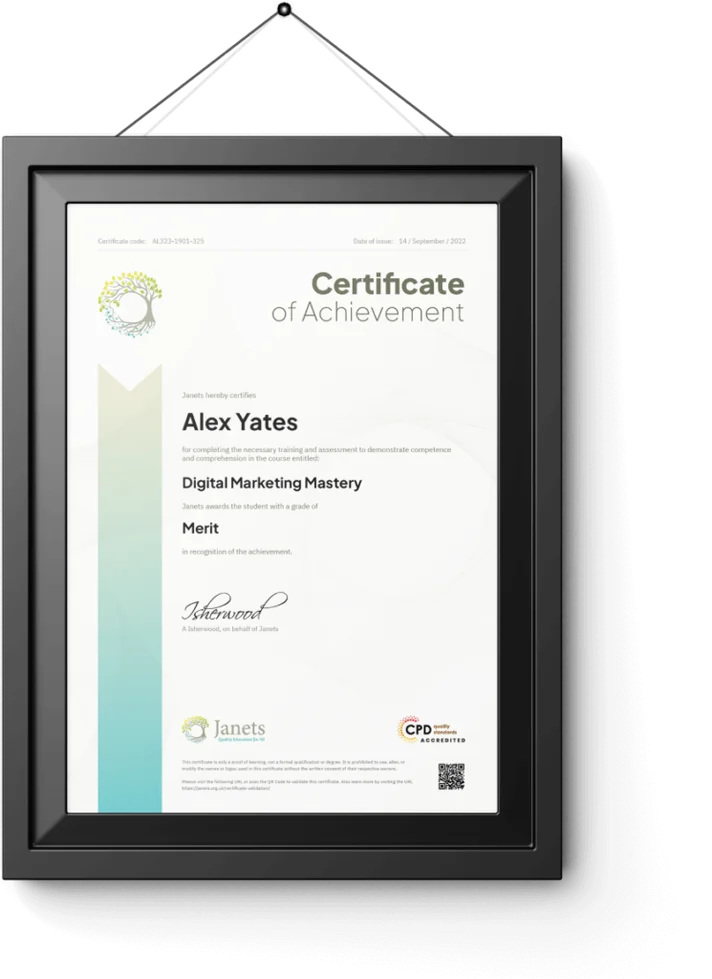
Your Proof of Achievement Awaits Get Certified Today.
Pass the final exam and download your CPD-accredited certificate straight away, free. Prefer it on paper? We'll post you a printed copy.
- Digital CPD certificateIncluded, worth £9
- Printed hard copy, posted to you£8.99
- Accredited certificate direct from CPDQSOptional
A Million Learners & So Many Good
Reviews Can't Be Wrong.
 Trustpilot

Based on 1,908 reviews

Janets have a very good variation of courses to pick from and honestly have the best customer service team so any issues can be resolved very quickly. Genuinely care about you as an individual which makes the lear.....
I was enjoying the course. It was explained well and understandable. Thank you very much .
Wonderful customer service, I had a problem and they solved it within a day. I am very pleased and have now bought a years subscription.
TRUSTED BY TEAMS
Employees at 100+ Businesses Trust Us
Helping Professionals Build New Skills Through Trusted Training Programmes.










How This Bundle Works?
Anyone Aged 16 Or Over Can Enrol. It's Fully Online And Self-Paced, So It Fits Around Whatever Else Your Week Already Holds.
- Enrol in two minutes
- Get instant access
- Learn at your pace
- Pass and get certified

If You Don't Feel Sure, We've Got You Covered
We offer a 14-day money-back guarantee. If it's not for you, get every penny back — no questions asked.Why Wait? Invest in Yourself Today.
Complete Your Enrollment to Get Access.
Fill In Your Details Below And You Will Receive Instant Access To Every Course In The Bundle, Along With Your Dashboard Login And Receipt By Email.
Questions Before You Enrol
Which Courses can I study?
All five courses in this bundle: Teaching Assistant, SEN, Autism, ADHD and Dyslexia.
Are there any restrictions?
Anyone aged 16 or over can enrol. Courses are fully online and self-paced.
How can I become an unlimited Prime Student?
Answer copy goes here.
What does the Prime Learning Membership include?
Answer copy goes here.
How do I become an unlimited Learning Member?
Answer copy goes here.
Who can become an Unlimited Learning Prime Member?
Answer copy goes here.