

 9 Courses in One Bundle
Office Manager, PA & Business Admin Career Bundle
Build your office manager, PA & business admin knowledge. Explore Microsoft Office, leadership, bookkeeping, payroll and HR as you prepare for your next career step.
One-off PaymentEverything included · 1 Year Access
 Excellent 713 Reviews
 14-day money-back guarantee
 Instant access
 Secure checkout






Everything’s Included.
Learn With Peace Of Mind, You’ve Got You Covered.
WHAT'S INCLUDED
- Business Administration
- Microsoft Office Skills
- Leadership & Teamwork
- Bookkeeping Skills
- Payroll Administration
- HR Management
- Cyber Security Awareness
- DSE Training
- Hidden Fees (VAT etc)
- Extra PDF Certificate Cost
- Limited Exam Retakes
- Paid Learner Support
Build Skills for the Business Behind Every Office
Connect administration with Microsoft Office, leadership, bookkeeping, payroll and HR. Official figures show the scale of the UK business landscape.
- 5.6 MillionPrivate sector businesses in the UK at the start of 2026, spanning different industries and business sizes. Source ↗
- 1.47 MillionUK private sector businesses employed staff at the start of 2026, providing context for learning about payroll, HR and teamwork. Source ↗
- 17 MillionPeople employed in UK small and medium-sized businesses at the start of 2026 — approximately 60% of private sector employment. Source ↗
What You’ll Know After Completing All
Courses in This Bundle
- Understand business administration and office support responsibilities.
- Build your Microsoft Office knowledge for personal assistant tasks.
- Explore leadership, teamwork and HR management principles.
- Develop your understanding of bookkeeping, accounting and payroll.
- Recognise cyber security risks and display screen equipment considerations.
- Explore contract management principles for business administration.
Nine Courses. One Enrolment.
Explore 78 lessons with 17 hours and 03 minutes of video. Open any course to see its lessons.
 Mock exam
 Final Exams: 9
 Certificate
 Audited and Updated: 20th Nov 2026
01Microsoft Office Essential Training for PACPD Accredited
What you'll study:
- Identify the Components of the Word Interface
- Create a Word Document
- Help
- Navigate and Select Text
- Modify Text
- Find and Replace Text
- Apply Character Formatting
- Align Text Using Tabs
- Display Text as List Items
- Control Paragraph Layout
- Apply Borders and Shading
- Apply Styles
- Manage Formatting
- Insert a Table
- Modify a Table
- Format a Table
- Convert Text to a Table
- Sort a List
- Renumber a List
- Customize a List
- Insert Symbols and Special Characters
- Add Images to a Document
- Apply a Page Border and Color
- Add a Watermark
- Add Headers and Footers
- Control Page Layout
- Check Spelling and Grammar
- Other Proofing Tools
- Check Accessibility
- Customize the Word Interface
- Additional Save Options
- Manage Additional File Types
- Activities – Microsoft Word 2016 for Beginners
- Identify the Elements of the Excel Interface
- Activity – Identify the Elements of the Excel Interface
- Create a Basic Worksheet
- Activity – Create a Basic Worksheet
- Use the Help System
- Activity – Use the Help System
- Create Formulas in a Worksheet
- Activity – Create Formulas in a Worksheet
- Insert Functions in a Worksheet
- Activity – Insert Functions in a Worksheet
- Reuse Formulas
- Activity – Reuse Formulas
- Manipulate Data
- Activity – Manipulate Data
- Insert, Manipulate, and Delete Cells, Columns, and Rows
- Activity – Insert, Manipulate, and Delete Cells, Columns, and Rows
- Search For and Replace Data
- Activity – Search For and Replace Data
- Spell Check a Worksheet
- Activity – Spell Check a Worksheet
- Modify Fonts
- Activity – Modify Fonts
- Add Borders and Colors to Cells
- Activity – Add Borders and Colors to Cells
- Apply Number Formats
- Activity – Apply Number Formats
- Align Cell Contents
- Activity – Align Cell Contents
- Apply Cell Styles
- Activity – Apply Cell Styles
- Define the Basic Page Layout for a Workbook
- Activity – Define the Basic Page Layout for a Workbook
- Refine the Page Layout and Apply Print Options
- Activity – Refine the Page Layout and Apply Print Options
- Format Worksheet Tabs
- Activity – Format Worksheet Tabs
- Manage Worksheets
- Activity – Manage Worksheets
- Manage the View of Worksheets and Workbooks
- Activity – Manage the View of Worksheets and Workbooks
- Customize General and Language Options
- Activity – Customize General and Language Options
- Customize Formula Options
- Activity – Customize Formula Options
- Customize Proofing and Save Options
- Activity – Customize Proofing and Save Options
- Customize the Ribbon and Quick Access Toolbar
- Activity – Customize the Ribbon and Quick Access Toolbar
- Customize the Functionality of Excel by Enabling Add-Ins
- Activity – Customize the Functionality of Excel by Enabling Add-Ins
- Customize Advanced and Trust Center Options
- Activity – Customize Advanced and Trust Center Options
- Activities and Exercise Files – Microsoft Excel 2016 for Beginners
- Navigate the PowerPoint Environment
- ACTIVITY – NAVIGATING THE POWERPOINT 2016 USER INTERFACE
- Create and Save a PowerPoint Presentation
- ACTIVITY – CREATING AND SAVING A POWERPOINT PRESENTATION
- Use Help
- ACTIVITY – USING POWERPOINT HELP
- Select a Presentation Type
- ACTIVITY – SELECTING A PRESENTATION TYPE
- Build a Presentation
- ACTIVITY – BUILDING A PRESENTATION
- Lay Out a Presentation
- ACTIVITY – LAYING OUT A PRESENTATION
- Edit Text
- ACTIVITY – EDITING TEXT
- View and Navigate a Presentation
- ACTIVITY – VIEWING A PRESENTATION
- Format Characters
- ACTIVITY – FORMATTING CHARACTERS
- Format Paragraphs
- ACTIVITY – FORMATTING PARAGRAPHS
- Format Text Boxes
- ACTIVITY – FORMATTING TEXT BOXES
- Insert Images
- ACTIVITY – INSERTING IMAGES
- Insert Shapes
- ACTIVITY – INSERTING SHAPES
- Insert WordArt
- ACTIVITY – INSERT WORDART
- Edit Objects
- ACTIVITY – EDITING OBJECTS
- Format Objects
- ACTIVITY – FORMATTING OBJECTS
- Group Objects
- ACTIVITY – GROUPING OBJECTS
- Arrange Objects
- ACTIVITY – ARRANGING OBJECTS
- Animate Objects
- ACTIVITY – ANIMATING OBJECTS
- Create a Table
- ACTIVITY – CREATING A TABLE
- Format a Table
- ACTIVITY – FORMATTING A TABLE
- Insert a Table from Other Microsoft Office Applications
- ACTIVITY – INSERTING A TABLE FROM MICROSOFT EXCEL
- Create a Chart
- ACTIVITY – CREATING A CHART
- Format a Chart
- ACTIVITY – FORMATTING A CHART
- Manipulate a Chart
- ACTIVITY – MANIPULATING A CHART
- Insert a Chart from Microsoft Excel
- ACTIVITY – INSERTING A CHART FROM MICROSOFT EXCEL
- Review Your Presentation
- ACTIVITY – REVIEWING YOUR PRESENTATION
- Apply Transitions
- ACTIVITY – APPLYING TRANSITIONS
- Print Your Presentation
- ACTIVITY – PRINTING YOUR PRESENTATION
- Deliver Your Presentation
- ACTIVITY – DELIVERING YOUR PRESENTATION
- Activities – Microsoft PowerPoint 2016 for Beginners
- Order your Certificates & Transcripts
02Bookkeeping – Accounting and Bookkeeping SkillsCPD Accredited
What you'll study:
- Introduction
- Manual System
- Computerised Systems
- How it Fits Together
- Ledgers
- Trial Balance and Coding
- PNL Account and Balance Sheet
- AILE Personal
- Course Overview
- Getting the Facts Straight
- The Accounting Cycle
- The Key Reports
- A Review of Financial Terms
- Understanding Debits and Credits
- Your Financial Analysis Toolbox
- Identifying High and Low Risk Companies
- The Basics of Budgeting
- Working Smarter
- Workbook – Bookkeeping – Accounting and Bookkeeping Skills
- Assignment – Bookkeeping – Accounting and Bookkeeping Skills
- Order your Certificates & Transcripts
03HR Management CourseCPD Accredited
What you'll study:
- Introduction to Human Resources
- Employee Recruitment and Selection Procedure
- Employee Training and Development Process
- Performance Appraisal Management
- Employee Relations
- Motivation and Counselling
- Ensuring Health and Safety at the Workplace
- Employee Termination
- Employer Records and Statistics
- Essential UK Employment Law
- Assignment – HR Management Course
- Order your Certificate QLS
04Leadership and Teamwork TrainingCPD Accredited
What you'll study:
- Leadership & Management PROMO
- Prof. Paul Course Intro
- Leadership Skills Training
- Management Skills Training
- Creating A Great Culture
- Teamwork – Create High Performance Teams
05Contract Management CourseCPD Accredited
What you'll study:
- Module 01: Introduction to Contract Management
- Module 02: Contract Lifecycle – Understanding The Stages
- Module 03: Contract Manager’s Roles, Responsibilities & Career Opportunities
- Module 04: Principles of English Contract Law
- Module 05: Classification of Contracts
- Module 06: Case Study on Contract Management
- Module 07: Contract Management Plan & Efficiency
- Module 08: Risks, Disputes & Supplier Relation In Contract Management
- Module 09: Negotiation, Variation & Changes in Contract Management
- Module 10: Contract Management Process Evaluation & KPI
- Module 11: Contract Review, Challenges and Future
06Display Screen Equipment (DSE)CPD Accredited
What you'll study:
- Introduction to DSE
- DSE Assessment
- Safe Use of DSE: Legislation and Prerequisites
- Potential Health Hazards
- Supportive Postures
- Workstation Setup
- Portable DSE
07Cyber Security Awareness TrainingCPD Accredited
What you'll study:
- Introduction to Cyber Security
- Cyber Attacks
- Cybercrimes
- Cyber Security and Data Breaches
- Password Management
- Internet Browsing
- Office and Remote Work Security
- Device Management
- Preventative Measures
08Payroll Administrator Level 3 DiplomaCPD Accredited
What you'll study:
- Payroll System in the UK
- Payroll Basics
- Company Settings
- Legislation Settings
- Pension Scheme Basics
- Pay Elements
- The Processing Date
- Adding Existing Employees
- Adding New Employees
- Payroll Processing Basics
- Entering Payments
- Pre-Update Reports
- Updating Records
- e-Submissions Basics
- Process Payroll (November)
- Employee Records and Reports
- Editing Employee Records
- Process Payroll (December)
- Resetting Payments
- Quick SSP
- An Employee Leaves
- Final Payroll Run
- Reports and Historical Data
- Year-End Procedures
09Business AdministrationCPD Accredited
What you'll study:
- Introduction to Admin Support Assistant
- Business Telephone Skills
- Representing Your Boss and Company
- Business Etiquette
- Mail Services and Shipping
- Travel Arrangements
- Organising Meeting and Conferences
- Diary Management and Note Taking
- Time Management
- Record Keeping and Filing Systems
- Business Writing Skills
- Organisational Skills
- Communication Skills
- Customer Service
- Effective Planning and Scheduling
- InvoicingPetty Cash
One payment. No subscription. 14-day money-back guarantee.
Is This Bundle Right for You?
Anyone Building A Career In Education. With An Affordable Price, It Helps You Get Ahead — While It Works Around Your Life, On Any Device.
Aspiring Office Managers
Connect administration experience with learning in leadership, teamwork, HR and contract management as you explore greater responsibility.
Career Changers & Beginners
Considering a move into business administration? Explore the subjects involved and identify areas to develop before choosing your next career step.
Personal Assistants
Build your Microsoft Office knowledge alongside business administration and teamwork topics relevant to supporting colleagues and office operations.
Administrative Professionals
Broaden your understanding of bookkeeping, payroll, cyber security and DSE to complement your everyday office responsibilities.
Where the role leads
Average UK salary ranges for roles this bundle relates to. Completing it doesn't guarantee employment or a specific salary.Office Manager£25,000–£40,000
Personal / Executive Assistant£28,000–£60,000
Administrative Assistant£21,000–£28,000
Finish the Course, Get Your Certificate.
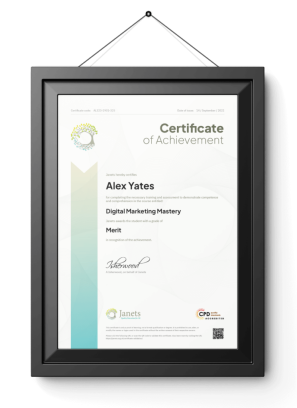
Pass the final assessment for each course and download your CPD certificate straight away. It’s included in your bundle price. Want one to frame? Order a printed copy and we’ll post it to you.
- Digital CPD certificate (one per course)Included, worth £9
- Printed copy, posted to you£12
- CPDQS accredited certificate (ordered separately)Optional (email us)
Trusted by Learners Across the UK
Clear courses, flexible study and a support team that’s there when you need it. Here’s what our learners have to say.
 Trustpilot


Excellent platform. Easy to use great choice of subjects and amazing support. I would definitely recommend them for students who are looking to further their knowledge in subjects. Instructions are easy to follow and the discounts are amazing I’ve studied with them over several years and have never been disappointed.
I was enjoying the course. It was explained well and understandable. Thank you very much .
I had a good time and support when I was busy completing the sales and marketing course, it was quite easy and very understandable… I would reccommend Janet’s to anyone wanting to further their studies
OUR LEARNERS COME FROM
Learners From Leading Organisations Study With Janets
People working at well-known businesses have built new skills with our online courses, at their own pace.






From Enrolment to Certificate in Four Simple Steps
Study 100% online and self-paced. You get 12 months of access to fit learning around work, family and everything else.
- Enrol in two minutes
- Get instant access
- Learn at your pace
- Pass and get certified

14-Day Money-Back Guarantee
If the bundle isn’t right for you, let us know within 14 days for a full refund, in line with our refund policy.Why Wait? Invest in Yourself Today.
Complete Your Enrolment to Get Access.
Fill In Your Details Below And You Will Receive Instant Access To Every Course In The Bundle, Along With Your Dashboard Login And Receipt By Email.
Questions Before You Enrol
Can this bundle support my move from administrator to office manager?
The bundle combines business administration with leadership, teamwork, HR and contract management. These subjects can broaden your knowledge as you consider greater responsibility. Employers set their own requirements for experience, qualifications and management skills.
What makes this bundle relevant to aspiring personal assistants?
Microsoft Office Essential Training for PA provides a focus on office software, while business administration and teamwork add related learning. Compare the course outlines with PA vacancies to identify subjects relevant to your development.
Why are bookkeeping, payroll and HR included?
Office responsibilities can extend beyond organising documents and supporting colleagues. These courses introduce business functions you may encounter when working with finance, payroll or HR teams, helping you explore how different departments connect.
Does the bundle cover cyber security and workstation safety?
Yes. The course mapping includes Cyber Security Awareness Training and Display Screen Equipment (DSE). These introduce topics relevant to digital office work alongside your employer’s policies and role-specific guidance.
What are the most important skills for an office manager?
Office managers need organisation, clear communication, time management and problem-solving skills to coordinate daily operations. Leadership, teamwork and confidence with office software also matter. Knowledge of budgeting, bookkeeping, HR administration and confidentiality can help when supporting colleagues and managing office resources.