


Course Library View the full range of courses
-
Accounting (145 courses)
- Xero Accounting and Bookkeeping Online
- Sage 50 Accounting & Payroll
- Project Finance
- Financial Modelling Training
- Tax Accounting
- Introduction to VAT
- Accounting and Finance Course for Managers
- Internal Compliance Auditor
- Financial Statement Analysis
- Payroll Administrator Level 3 Diploma
- View all Accounting courses
-
Language (67 courses)
- British Sign Language (BSL) Level 1 & 2
- Speech and Language Therapy Diploma
- TEFL (TESOL) Course
- English Spelling, Punctuation, and Grammar
- Child & Adult Speech & Language Disorders Training
- Teaching English as Foreign Language (TEFL) Certificate
- Mastering Spanish Language
- French Course for Beginners
- German Course for Beginners
- Body Language and Gesture Training
- View all Language courses
-
Teaching & Education (37 courses)
- Teaching Assistant Complete Course (TA, SEN, Autism, ADHD & Dyslexia) – CPD Certified
- EYFS Teaching Assistant Training Course
- Advanced Diploma in Coaching and Mentoring
- Level 3 Diploma in Teaching and Classroom Management
- Remote Teaching
- SENCO – Special Educational Needs Coordination
- Teaching English as Foreign Language (TEFL)
- Life Coaching
- Phonics Teaching Diploma
- View all Teaching & Education courses
-
Health and Social Care (138 courses)
- Health and Social Care Management
- Paediatric Nursing Assistant
- Mental Health Awareness Training
- Emergency Medicine – Paramedicine
- Level 3 Diploma in Adult Care
- Paediatric First Aid Training
- Safeguarding Children Level 3
- Level 3 Diploma in Anatomy and Physiology of Human Body
- Play Therapy
- The Care Certificate Preparation – Standards (1 to 15)
- View all Health and Social Care courses
-
Management (539 courses)
- Office Admin, Secretarial and PA Diploma
- Estate Agent and Property Management Training
- Diploma in Data Analysis Fundamentals
- Advanced Diploma in Stress & Anxiety Management
- Good Manufacturing Practice (GMP)
- Property Development and Management Course
- Diploma in Hotel Management
- Supply Chain Management
- Quality Assurance (QA) Manager
- Compliance and Risk Management
- View all Management courses
-
IT & Software (123 courses)
- Coding with Python 3
- Search Engine Optimisation (SEO) Training
- Cyber Security
- Motion Graphics with After Effects
- CompTIA A+ Core 1 (220-1101) Course
- Machine Learning for Aspiring Data Scientists
- Next.js Web Dev: Master this Powerful React Framework
- Learn 2D Animation with Adobe Animate
- GDPR Challenges in Education
- View all IT & Software courses
-
Employability (1043 courses)
- Office Administrator Skills
- Presentation Skills
- Legal Secretary and Office Skills
- Hospitality Management
- Estate Agent Diploma
- Hairdressing and Barbering
- Diploma in UK Employment Law
- Diploma in Data Analysis Fundamentals
- Building Surveyor Training
- Emotional Intelligence Training
- View all Employability courses
-
Personal Development (1438 courses)
- Productivity Habits
- Minute Taking Course
- Presentation Skills
- Excel: Top 50 Microsoft Excel Formulas in 50 Minutes!
- Critical Thinking and Problem Solving Skills
- Time Management
- Self Esteem and Confidence Building Course
- Essential IT Skills
- Legal Secretary and Office Skills
- Personality Development
- View all Personal Development courses


Adobe XD Design
38 Students (6 Reviews)
Learn Adobe XD Design techniques for UI layouts, wireframes, prototypes, components, visual hierarchy, interactive design, and digital user experiences.

Course Curriculum
| Module: 01 | |||
| Promo Video | 00:03:00 | ||
| What Is Adobe XD | 00:07:00 | ||
| Download And Install Adobe Xd | 00:03:00 | ||
| Why Adobe XD Is So Awesome – Talkinghead | 00:04:00 | ||
| Updates And Upcoming Features Xd | 00:03:00 | ||
| Adobe XD Interface Welcome Screen | 00:03:00 | ||
| Adobe Xd Top Nav Bar | 00:02:00 | ||
| Adoe Xd Interface Toolbar | 00:02:00 | ||
| Properties Panel Adoe Xd Interface | 00:03:00 | ||
| Xd Mac And Win Differences | 00:05:00 | ||
| First Assignment Simple One | 00:08:00 | ||
| Module: 02 | |||
| Artboards and grids | 00:08:00 | ||
| Tools in xd | 00:05:00 | ||
| Rectangle tool to create buttons | 00:07:00 | ||
| Background and object blur | 00:03:00 | ||
| Ellipse tool | 00:02:00 | ||
| Basics of pen tool | 00:03:00 | ||
| Pen tool to creat Icons | 00:06:00 | ||
| Line tool | 00:01:00 | ||
| Text-tool | 00:03:00 | ||
| Colors Palettes | 00:04:00 | ||
| Color Gradients in Xd | 00:06:00 | ||
| Coolors.io | 00:04:00 | ||
| Masks in xd | 00:06:00 | ||
| Character styles in Xd | 00:05:00 | ||
| Creating and reusing symbols | 00:07:00 | ||
| Repeat grid | 00:09:00 | ||
| Common Shortcuts | 00:06:00 | ||
| Shortcut keys part2 | 00:08:00 | ||
| Nested symbols in xd | 00:06:00 | ||
| Module: 03 | |||
| S03L01 block-level design | 00:12:00 | ||
| S0302 Sketching First Design Idea-block Level Paper | 00:08:00 | ||
| S0303 First Paper Prototype- Adding Details | 00:04:00 | ||
| S0304 Vertical Horizontal Prototypes T Proto | 00:09:00 | ||
| S0305 Level Of Fidelity and prototypes | 00:00:00 | ||
| S0306 adding details to your block design | 00:08:00 | ||
| S0307 using ui design patterns | 00:04:00 | ||
| S0308 creating signup ios screen EXERCISE | 00:14:00 | ||
| Module: 04 | |||
| S0401 Design preparations | 00:05:00 | ||
| S0402 Color scheme and insprations | 00:05:00 | ||
| S0403 Solving UX problems of old app | 00:04:00 | ||
| S0404 Welcome Screen design | 00:10:00 | ||
| S0405 designing the login screen | 00:14:00 | ||
| S0406 login-activated | 00:12:00 | ||
| S0407 Signup Screen | 00:07:00 | ||
| S0408 dashboard design part 1 | 00:12:00 | ||
| S0409 dashboard design part 2 | 00:11:00 | ||
| S0410 Sidebar Navigation | 00:09:00 | ||
| S0411 actitivies screen | 00:11:00 | ||
| S0412 sync screen | 00:08:00 | ||
| S0413 sync status update | 00:04:00 | ||
| S0414 using grids to improve designs further | 00:05:00 | ||
| S0415 refining style guides | 00:08:00 | ||
| S0416 IOS Design guidelines | 00:09:00 | ||
| Module: 05 | |||
| S0501 fixing tap targets | 00:06:00 | ||
| S0502 prototype login and signup screens | 00:10:00 | ||
| S0503 prototyping dashboards and other screens | 00:11:00 | ||
| S0504 sharing prototype with others | 00:04:00 | ||
| S0505 recording prototype on mac | 00:02:00 | ||
| S0506 design Inspect beta | 00:04:00 | ||
| Module: 06 | |||
| S0601 why to export in 1x 2x 3x | 00:09:00 | ||
| S0602 Perfect example of 1x 2x 3x | 00:03:00 | ||
| S0603 export artboards to create mockups | 00:08:00 | ||
| S0604 batch export | 00:06:00 | ||
| Module: 07 | |||
| S0701 Live Preview Your App On Iphone | 00:02:00 | ||
| S0702 Developer handoff with Zeplin | 00:13:00 | ||
| S0703 Developer Handoff using Avocode | 00:14:00 | ||
| S0704 open sketch-psd-illustrato import | 00:08:00 | ||
| Module: 08 | |||
| XD updtaes april may 2018 | 00:04:00 | ||
| 1st Exercise Asssignment-1 | 00:03:00 | ||
| Second Assignment-1 | 00:03:00 | ||
| Third Last Assinment – Google Drive | 00:03:00 | ||
| Resources | |||
| Resources – Adobe XD Design | 00:00:00 | ||
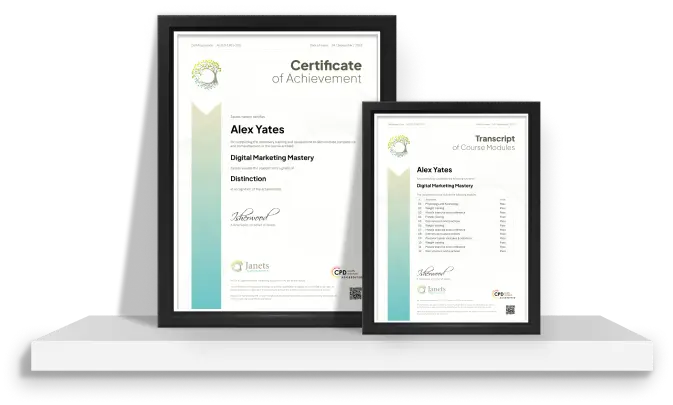
| Order your Certificates & Transcripts | |||
| Order your Certificates & Transcripts | 00:00:00 | ||

Original price was: £319.£25Current price is: £25. ex Vat
SAVE 92% - OFFER ENDS IN

 ALL
COURSES FOR £49
ALL
COURSES FOR £49  14-Day Money-Back Guarantee
- Personal
- Team
Quantity:
Total:
50% discount for orders of 10+ courses
60% discount for orders of 50+ courses
70% discount for orders of 100+ courses
For more personalised package, contact us


Frequently asked questions
Can’t find the anwser you’re looking for ? Reach out to customer support team.
Adobe XD Design focuses on creating user interfaces, digital layouts, wireframes, and interactive prototypes for websites and applications. It combines visual design principles with practical prototyping techniques to help designers communicate and test digital experiences.
The course can benefit aspiring UI and UX designers, graphic designers, web professionals, marketing teams, developers, students, entrepreneurs, and creative individuals who want to develop skills in interface design and digital prototyping.
No. The course is suitable for beginners and does not require previous experience with Adobe XD. Learners can develop their knowledge by becoming familiar with the software environment, essential tools, design processes, and prototyping features.
You will learn about interface layouts, wireframes, typography, colour, visual hierarchy, components, responsive design concepts, screen organisation, interactive prototypes, navigation flows, and methods for presenting and refining digital designs.
Wireframing is the process of creating a simplified representation of a digital interface. It helps designers plan the placement of content, navigation, controls, and key elements before developing a more detailed visual design.
Prototyping involves connecting designed screens and adding interactions so users can experience how a digital product may function. Adobe XD can be used to demonstrate navigation, transitions, and user flows before development begins.
Yes. The course introduces important UI concepts such as spacing, alignment, typography, colour, consistency, hierarchy, composition, and usability. These principles help create interfaces that are both visually organised and easier to navigate.
For this course, you will have access to the course materials for 1 year only. This means you can review the content as often as you like within the year, even after you've completed the course. However, if you buy Lifetime Access for the course, you will be able to access the course for a lifetime.
Yes, upon successfully completing the course, you will receive a certificate of completion. This certificate can be a valuable addition to your professional portfolio and can be shared on your various social networks.
We want you to have a positive learning experience. If you're not satisfied with the course, you can request a course transfer or refund within 14 days of the initial purchase.
Our platform provides tracking tools and progress indicators for each course. You can monitor your progress, completed lessons, and assessments through your learner dashboard for the course.
If you encounter technical issues or content-related difficulties with the course, our support team is available to assist you. You can reach out to them for prompt resolution.