Course Library View the full range of courses
-
Accounting (144 courses)
- Xero Accounting and Bookkeeping Online
- Sage 50 Accounting & Payroll
- Project Finance
- Financial Modelling Training
- Tax Accounting
- Introduction to VAT
- Accounting and Finance Course for Managers
- Internal Compliance Auditor
- Financial Statement Analysis
- Payroll Administrator Level 3 Diploma
- View all Accounting courses
-
Language (67 courses)
- British Sign Language (BSL) Level 1 & 2
- Speech and Language Therapy Diploma
- TEFL (TESOL) Course
- English Spelling, Punctuation, and Grammar
- Child & Adult Speech & Language Disorders Training
- Teaching English as Foreign Language (TEFL) Certificate
- Mastering Spanish Language
- French Course for Beginners
- German Course for Beginners
- Body Language and Gesture Training
- View all Language courses
-
Teaching & Education (37 courses)
- Teaching Assistant Complete Course (TA, SEN, Autism, ADHD & Dyslexia) – CPD Certified
- EYFS Teaching Assistant Training Course
- Advanced Diploma in Coaching and Mentoring
- Level 3 Diploma in Teaching and Classroom Management
- Remote Teaching
- SENCO – Special Educational Needs Coordination
- Teaching English as Foreign Language (TEFL)
- Life Coaching
- Phonics Teaching Diploma
- View all Teaching & Education courses
-
Health and Social Care (140 courses)
- Health and Social Care Management
- Paediatric Nursing Assistant
- Mental Health Awareness Training
- Emergency Medicine – Paramedicine
- Level 3 Diploma in Adult Care
- Paediatric First Aid Training
- Safeguarding Children Level 3
- Level 3 Diploma in Anatomy and Physiology of Human Body
- Play Therapy
- The Care Certificate Preparation – Standards (1 to 15)
- View all Health and Social Care courses
-
Management (538 courses)
- Office Admin, Secretarial and PA Diploma
- Estate Agent and Property Management Training
- Diploma in Data Analysis Fundamentals
- Advanced Diploma in Stress & Anxiety Management
- Good Manufacturing Practice (GMP)
- Property Development and Management Course
- Diploma in Hotel Management
- Supply Chain Management
- Quality Assurance (QA) Manager
- Compliance and Risk Management
- View all Management courses
-
IT & Software (133 courses)
- Coding with Python 3
- Search Engine Optimisation (SEO) Training
- Cyber Security
- Motion Graphics with After Effects
- CompTIA A+ Core 1 (220-1101) Course
- Machine Learning for Aspiring Data Scientists
- Next.js Web Dev: Master this Powerful React Framework
- Learn 2D Animation with Adobe Animate
- GDPR Challenges in Education
- View all IT & Software courses
-
Employability (1043 courses)
- Office Administrator Skills
- Presentation Skills
- Legal Secretary and Office Skills
- Hospitality Management
- Estate Agent Diploma
- Hairdressing and Barbering
- Diploma in UK Employment Law
- Diploma in Data Analysis Fundamentals
- Building Surveyor Training
- Emotional Intelligence Training
- View all Employability courses
-
Personal Development (1439 courses)
- Productivity Habits
- Minute Taking Course
- Presentation Skills
- Excel: Top 50 Microsoft Excel Formulas in 50 Minutes!
- Critical Thinking and Problem Solving Skills
- Time Management
- Self Esteem and Confidence Building Course
- Essential IT Skills
- Legal Secretary and Office Skills
- Personality Development
- View all Personal Development courses


Build REST APIs with Python, Django REST Framework: Web API
688 Students (362 Reviews)
Master Django REST Framework with comprehensive online training. Learn PostgreSQL models, serializers, Postman testing and image uploads to build scalable Web APIs.
Overview
Build REST APIs with Python, Django REST Framework: Web API is a comprehensive online training course designed to help learners understand how to develop, build, and manage RESTful APIs using Python and Django REST Framework. As modern web applications increasingly rely on efficient communication between different systems, REST APIs play an essential role in connecting applications, managing data, and supporting digital services. This course provides a structured introduction to API development, guiding learners through the essential tools, techniques, and practical processes involved in creating web APIs.
Throughout the course, learners will explore Python development environments, Django project setup, and the fundamentals of building REST API applications. The training covers creating Django models, connecting PostgreSQL databases, working with Object-Relational Mapping (ORM), and managing database migrations. Learners will also discover how to create serializers for complex data types, develop REST API endpoints, and configure URL mapping across applications and projects. Additional topics include testing API methods using Postman, building REST APIs through practical projects, and developing an image upload REST API service. These skills provide a foundation for understanding how backend systems manage information, process requests, and exchange data efficiently.
This course is suitable for beginners with an interest in programming, Python learners, aspiring backend developers, software development students, and individuals looking to expand their web development skills. Whether you want to build your first REST API, understand backend development, or explore database-driven web applications, this course offers a practical learning experience using Python, Django REST Framework, and PostgreSQL.
Learning Outcomes
- Understand the fundamentals of REST APIs and web API development
- Set up and configure a Python development environment
- Create Django projects for REST API development
- Build Django models and connect PostgreSQL databases
- Understand Django ORM and database migrations
- Create serializers for complex data types
- Develop and configure REST API endpoints
- Understand URL mapping at application and project levels
- Use Postman to test different API methods
- Build REST APIs through practical development projects
- Develop an image upload REST API service
- Understand the fundamentals of backend development using Django REST Framework
Why choose this course
- Affordable, Accessible, informative and well-structured study materials
- Earn a globally recognised accredited qualification
- Study in your own time, at your own pace, through any device
- Benefit from feedback through mock exams and multiple-choice assessments
- Excellent career advancement/career switch opportunities
- Get 24/7 help or advice from our email and live chat teams
Certification
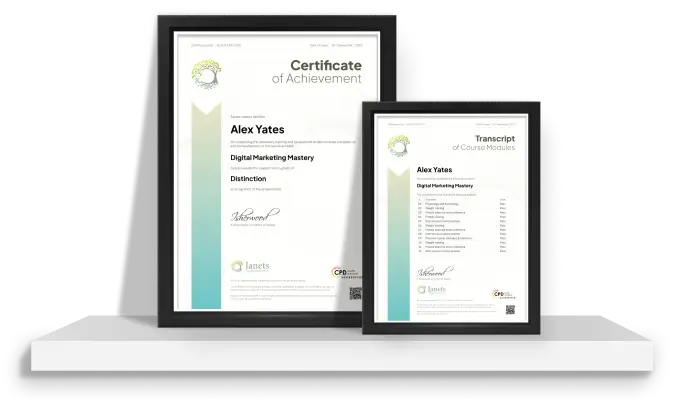
Certificate of Achievement
After the successful completion of the final assessment, you will receive a CPD-accredited certificate of achievement. The PDF certificate is for 9.99, and it will be sent to you immediately after through e-mail. You can get the hard copy for 15.99, which will reach your doorsteps by post.
Entry Requirements
No formal qualifications or previous professional experience in web development are required. A basic understanding of Python programming will be helpful, as the course focuses on developing REST APIs using Django REST Framework. Familiarity with databases, programming concepts, or web technologies will be beneficial but is not essential. An interest in software development and backend technologies will help learners get the most out of this training.
Who is this course for?
This course is ideal for:
- Beginners interested in REST API development
- Python learners exploring backend development
- Aspiring Django Developers
- Students studying software and web development
- Software developers looking to expand their API development skills
- Backend developers interested in PostgreSQL integration
- Web developers exploring Django REST Framework
- Freelancers interested in building backend services
- Technology enthusiasts interested in application development
Career Paths
Completing the Build REST APIs with Python, Django REST Framework: Web API course can help learners develop foundational technical knowledge relevant to backend development, software engineering, database management, and web application development. Combined with suitable qualifications, practical experience, and further technical training, this knowledge may support progression into roles such as:
- Python Developer
- Django Developer
- Backend Developer
- REST API Developer
- Junior Software Developer
- Web Application Developer
- API Integration Developer
- Database Developer
- Software Engineer
- Full-Stack Developer
Course Curriculum
| Module 1: Getting started | |||
| Introduction | 00:04:00 | ||
| Getting started on Windows, macOS, and Linux | 00:01:00 | ||
| Module 2: Setting up a Python development | |||
| Installing Python | 00:07:00 | ||
| Installing PyCharm IDE for development | 00:12:00 | ||
| Creating the first Python project3 | 00:09:00 | ||
| Write and Run Hello World program | 00:05:00 | ||
| Command line basics | 00:06:00 | ||
| Installation and access pip command | 00:10:00 | ||
| Postman API platform installation | 00:08:00 | ||
| Module 3: Django setting up the REST API project | |||
| Introduction to web framework and Django | 00:04:00 | ||
| Installing Django and Djangorestframework | 00:05:00 | ||
| Django(CORS) installation | 00:03:00 | ||
| Creating Django project | 00:05:00 | ||
| Understanding Django architecture and structured | 00:08:00 | ||
| Creating a Django application | 00:03:00 | ||
| Understanding Django models, views, and URL routings | 00:03:00 | ||
| Registering the app to project | 00:07:00 | ||
| Module 4: Building Django Models for API with PostgreSQL | |||
| Introduction to PostgreSQL and its advantages for web applications | 00:04:00 | ||
| Installing PostgreSQL and setting up | 00:13:00 | ||
| pgAdmin Secure login and create database | 00:07:00 | ||
| Building Django models for the REST API data structures | 00:08:00 | ||
| Module 5: Django API Model ORM-Migrations to PostgreSQL | |||
| Installing the psycopg2 module for DB connection | 00:06:00 | ||
| Database (DB) connection – Django to PostgreSQL | 00:04:00 | ||
| Creating and applying ORM-migrations for the PostgreSQL database | 00:06:00 | ||
| SQL Querying and adding Sample Data into tables | 00:07:00 | ||
| Module 6: Creating Serializers for Complex Datatypes | |||
| Serializers in Django REST API | 00:03:00 | ||
| Serializing data with Django REST Framework serializers | 00:07:00 | ||
| Module 7: Writing REST API Endpoints | |||
| Import required modules to write API methods | 00:06:00 | ||
| Implementing API GET method using REST Framework | 00:10:00 | ||
| Implementing API POST method using REST Framework | 00:07:00 | ||
| Implementing API PUT method using REST Framework | 00:08:00 | ||
| Implementing API DELETE method using REST Framework | 00:07:00 | ||
| Validating data with Django REST Framework validators | 00:04:00 | ||
| Handling API requests and responses | 00:04:00 | ||
| Module 8: URLs Mapping on Application and Project | |||
| Writing App URLs and path setting | 00:07:00 | ||
| Write Project URLs and include app | 00:03:00 | ||
| Exercise and Solution for it | 00:03:00 | ||
| Module 9: POSTMAN for Testing API Methods | |||
| Exploring Postman API app | 00:04:00 | ||
| API GET method testing | 00:03:00 | ||
| API POST method testing | 00:03:00 | ||
| API PUT method testing | 00:03:00 | ||
| API DELETE method testing | 00:04:00 | ||
| Module 10: Project: Creating REST APIs Quickl | |||
| Creating REST API methods at one snap | 00:08:00 | ||
| Writing URLs on an app for access APIs | 00:04:00 | ||
| POSTMAN API testing | 00:13:00 | ||
| Module 11: Building Image Upload REST API Service | |||
| Base image save path setting on project | 00:06:00 | ||
| Write the API method to save image | 00:04:00 | ||
| Adding urls path and static settings to save image | 00:04:00 | ||
| Postman API to test and save image | 00:05:00 | ||
Frequently asked questions
Can’t find the anwser you’re looking for ? Reach out to customer support team.
There are no specific prerequisites for this course, nor are there any formal entry requirements. All you need is an internet connection, a good understanding of English and a passion for learning for this course.
You have the flexibility to access the course at any time that suits your schedule. Our courses are self-paced, allowing you to study at your own pace and convenience.
For this course, you will have access to the course materials for 1 year only. This means you can review the content as often as you like within the year, even after you've completed the course. However, if you buy Lifetime Access for the course, you will be able to access the course for a lifetime.
Yes, upon successfully completing the course, you will receive a certificate of completion. This certificate can be a valuable addition to your professional portfolio and can be shared on your various social networks.
We want you to have a positive learning experience. If you're not satisfied with the course, you can request a course transfer or refund within 14 days of the initial purchase.
Our platform provides tracking tools and progress indicators for each course. You can monitor your progress, completed lessons, and assessments through your learner dashboard for the course.
If you encounter technical issues or content-related difficulties with the course, our support team is available to assist you. You can reach out to them for prompt resolution.