


Course Library View the full range of courses
-
Accounting (145 courses)
- Xero Accounting and Bookkeeping Online
- Sage 50 Accounting & Payroll
- Project Finance
- Financial Modelling Training
- Tax Accounting
- Introduction to VAT
- Accounting and Finance Course for Managers
- Internal Compliance Auditor
- Financial Statement Analysis
- Payroll Administrator Level 3 Diploma
- View all Accounting courses
-
Language (67 courses)
- British Sign Language (BSL) Level 1 & 2
- Speech and Language Therapy Diploma
- TEFL (TESOL) Course
- English Spelling, Punctuation, and Grammar
- Child & Adult Speech & Language Disorders Training
- Teaching English as Foreign Language (TEFL) Certificate
- Mastering Spanish Language
- French Course for Beginners
- German Course for Beginners
- Body Language and Gesture Training
- View all Language courses
-
Teaching & Education (37 courses)
- Teaching Assistant Complete Course (TA, SEN, Autism, ADHD & Dyslexia) – CPD Certified
- EYFS Teaching Assistant Training Course
- Advanced Diploma in Coaching and Mentoring
- Level 3 Diploma in Teaching and Classroom Management
- Remote Teaching
- SENCO – Special Educational Needs Coordination
- Teaching English as Foreign Language (TEFL)
- Life Coaching
- Phonics Teaching Diploma
- View all Teaching & Education courses
-
Health and Social Care (138 courses)
- Health and Social Care Management
- Paediatric Nursing Assistant
- Mental Health Awareness Training
- Emergency Medicine – Paramedicine
- Level 3 Diploma in Adult Care
- Paediatric First Aid Training
- Safeguarding Children Level 3
- Level 3 Diploma in Anatomy and Physiology of Human Body
- Play Therapy
- The Care Certificate Preparation – Standards (1 to 15)
- View all Health and Social Care courses
-
Management (539 courses)
- Office Admin, Secretarial and PA Diploma
- Estate Agent and Property Management Training
- Diploma in Data Analysis Fundamentals
- Advanced Diploma in Stress & Anxiety Management
- Good Manufacturing Practice (GMP)
- Property Development and Management Course
- Diploma in Hotel Management
- Supply Chain Management
- Quality Assurance (QA) Manager
- Compliance and Risk Management
- View all Management courses
-
IT & Software (123 courses)
- Coding with Python 3
- Search Engine Optimisation (SEO) Training
- Cyber Security
- Motion Graphics with After Effects
- CompTIA A+ Core 1 (220-1101) Course
- Machine Learning for Aspiring Data Scientists
- Next.js Web Dev: Master this Powerful React Framework
- Learn 2D Animation with Adobe Animate
- GDPR Challenges in Education
- View all IT & Software courses
-
Employability (1043 courses)
- Office Administrator Skills
- Presentation Skills
- Legal Secretary and Office Skills
- Hospitality Management
- Estate Agent Diploma
- Hairdressing and Barbering
- Diploma in UK Employment Law
- Diploma in Data Analysis Fundamentals
- Building Surveyor Training
- Emotional Intelligence Training
- View all Employability courses
-
Personal Development (1439 courses)
- Productivity Habits
- Minute Taking Course
- Presentation Skills
- Excel: Top 50 Microsoft Excel Formulas in 50 Minutes!
- Critical Thinking and Problem Solving Skills
- Time Management
- Self Esteem and Confidence Building Course
- Essential IT Skills
- Legal Secretary and Office Skills
- Personality Development
- View all Personal Development courses


Microsoft Office Essentials
94 Students (11 Reviews)
Level up your productivity with our Microsoft Office Essentials course. Learn core functions of Word, Excel, PowerPoint, and potentially more! Gain valuable skills for various careers and boost your efficiency in any office setting.

Course Curriculum
| Microsoft Word | |||
| Module One – Getting Started | 00:30:00 | ||
| Module Two – Opening | 01:00:00 | ||
| Module Three – Working with the Interface | 01:00:00 | ||
| Module Four – Your First Document | 01:00:00 | ||
| Module Five – Basic Editing Tasks | 01:00:00 | ||
| Module Six – Basic Formatting Tasks | 01:00:00 | ||
| Module Seven – Formatting Paragraphs | 01:00:00 | ||
| Module Eight – Advanced Formatting Tasks | 01:00:00 | ||
| Module Nine – Working with Styles | 01:00:00 | ||
| Module Ten – Formatting the Page | 01:00:00 | ||
| Module Eleven – Sharing Your Document | 01:00:00 | ||
| Module Twelve – Wrapping Up | 00:30:00 | ||
| Word for Newbies – Activities | 00:00:00 | ||
| Microsoft Excel | |||
| Module One – Getting Started | 00:30:00 | ||
| Module Two – Opening Excel | 01:00:00 | ||
| Module Three – Working with the Interface | 01:00:00 | ||
| Module Four – Your First Worksheet | 01:00:00 | ||
| Module Five – Viewing Excel Data | 01:00:00 | ||
| Module Six – Building Formulas | 01:00:00 | ||
| Module Seven – Using Excel Functions | 01:00:00 | ||
| Module Eight – Using Quick Analysis | 01:00:00 | ||
| Module Nine – Formatting Your Data | 01:00:00 | ||
| Module Ten – Using Styles, Themes, and Effects | 01:00:00 | ||
| Module Eleven – Printing and Sharing Your Workbook | 01:00:00 | ||
| Module Twelve – Wrapping Up | 01:00:00 | ||
| Excel for Newbies – Activities | 00:00:00 | ||
| Microsoft PowerPoint | |||
| Module One – Getting Started | 00:30:00 | ||
| Module Two – Opening PowerPoint | 01:00:00 | ||
| Module Three – Working with the Interface | 01:00:00 | ||
| Module Four – Your First Presentation | 01:00:00 | ||
| Module Five – Working with Text | 01:00:00 | ||
| Module Six – Formatting Text and Paragraphs | 01:00:00 | ||
| Module Seven – Adding Pictures | 01:00:00 | ||
| Module Eight – Advanced Formatting Tasks | 01:00:00 | ||
| Module Nine – Working with Transitions and Animations | 01:00:00 | ||
| Module Ten – Setting Up Your Slide Show | 01:00:00 | ||
| Module Eleven – Showtime! | 01:00:00 | ||
| Module Twelve – Wrapping Up | 00:30:00 | ||
| PowerPoint Essential Activities | 00:00:00 | ||
| Microsoft Access | |||
| Module One – Getting Started | 00:30:00 | ||
| Module Two – Opening and Closing Access | 01:00:00 | ||
| Module Three – An Introduction to Databases | 01:00:00 | ||
| Module Four – Sharing Data Using Apps | 01:00:00 | ||
| Module Five – Working in Your App | 01:00:00 | ||
| Module Six – An Introduction to Desktop Databases | 01:00:00 | ||
| Module Seven – Performing Basic Table Tasks | 01:00:00 | ||
| Module Eight – Working with Fields | 01:00:00 | ||
| Module Nine – Working with Table Relationships | 01:00:00 | ||
| Module Ten – An Introduction to Queries, Forms, and Reports | 01:00:00 | ||
| Module Eleven – Protecting Your Data | 01:00:00 | ||
| Module Twelve – Wrapping Up | 00:30:00 | ||
| Activities – Microsoft Access for Beginners | 00:00:00 | ||
| Microsoft Outlook | |||
| Module One – Getting Started | 00:30:00 | ||
| Module Two – Opening and Closing Outlook | 01:00:00 | ||
| Module Three – Understanding the Interface | 01:00:00 | ||
| Module Four – Working with the Message List and the Reading Pane | 01:00:00 | ||
| Module Five – Using Message List Commands | 01:00:00 | ||
| Module Six – Creating a New Email | 01:00:00 | ||
| Module Seven – Managing Email | 01:00:00 | ||
| Module Eight – Searching for Items | 01:00:00 | ||
| Module Nine – An Introduction to the Calendar | 01:00:00 | ||
| Module Ten – An Introduction to Tasks | 01:00:00 | ||
| Module Eleven – An Introduction to Contact | 01:00:00 | ||
| Module Twelve – Wrapping Up | 00:30:00 | ||
| Activities – Microsoft Outlook for Beginners | 00:00:00 | ||
| Microsoft Publisher | |||
| Module One – Getting Started | 00:30:00 | ||
| Module Two – Opening Publisher | 01:00:00 | ||
| Module Three – Working with the Interface | 01:00:00 | ||
| Module Four – Your First Publication | 01:00:00 | ||
| Module Five – Working with Pictures | 01:00:00 | ||
| Module Six – Basic Editing Tasks | 01:00:00 | ||
| Module Seven – Formatting Fonts | 01:00:00 | ||
| Module Eight – Formatting Paragraphs | 01:00:00 | ||
| Module Nine – Working with Objects | 01:00:00 | ||
| Module Ten – Working with Pages | 01:00:00 | ||
| Module Eleven – Publishing Your Work | 01:00:00 | ||
| Module Twelve – Wrapping Up | 00:30:00 | ||
| Mock Exam | |||
| Mock Exam- Microsoft Office Essentials | 00:30:00 | ||
| Final Exam | |||
| Final Exam- Microsoft Office Essentials | 00:30:00 | ||
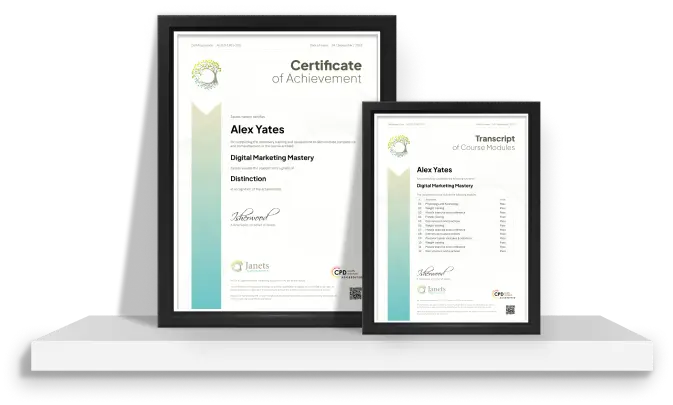
| Order your Certificates & Transcripts | |||
| Order Certificates & Transcripts / CPD QS | 00:00:00 | ||

Original price was: £319.£25Current price is: £25. ex Vat
SAVE 92% - OFFER ENDS IN

 14-Day Money-Back Guarantee
- Personal
- Team
Quantity:
Total:
50% discount for orders of 10+ courses
60% discount for orders of 50+ courses
70% discount for orders of 100+ courses
For more personalised package, contact us


Frequently asked questions
Can’t find the anwser you’re looking for ? Reach out to customer support team.
Microsoft Essentials courses typically cover the basics of Microsoft's key software, such as Windows, Office applications (Word, Excel, PowerPoint), and possibly some basic IT skills related to these products.
Microsoft offers a mix of free and paid training courses. Many foundational courses, especially those online, are available for free, while more specialised and advanced training might require payment.
The difficulty of the MS-900 (Microsoft 365 Fundamentals) exam can vary based on your familiarity with Microsoft 365 services and concepts. It is generally considered a foundational level exam, so it's designed to be accessible for beginners with basic understanding.
Yes, Microsoft Certified Fundamentals can be worth it for those starting in IT or looking to validate their basic knowledge of cloud services and Microsoft technologies. It can enhance a resume and help set the foundation for further specialisation.
While the AZ-900 (Microsoft Azure Fundamentals) certification alone might not be sufficient to secure a job, it demonstrates a foundational understanding of Azure services, which could be beneficial when combined with other skills and qualifications.
Holding an AZ-900 certification alone does not directly determine salary, as it is a fundamental certification. Salaries depend on additional skills, experience, role, and geographical location.
The difficulty can vary depending on one’s background, but high-level certifications like the Microsoft Certified: Azure Solutions Architect Expert are often considered among the more challenging due to the depth of knowledge and experience required.
The MS-900 exam typically costs around $99 USD, although prices may vary depending on the country.
The time to learn for the MS-900 exam can vary widely based on your background and study pace. On average, individuals might spend a few weeks to a couple of months studying part-time.
You can learn MS Office at home through various online platforms that offer free and paid courses, such as Microsoft's own training portals, LinkedIn Learning, Coursera, or Udemy. Microsoft also provides numerous tutorials and resources directly on its website.
Yes, many Microsoft certifications now have an expiration date, typically requiring renewal every one to two years to ensure skills remain up-to-date with current technology trends.
Yes, Microsoft offers a plethora of online learning options through its Microsoft Learn platform, as well as through partnered educational platforms offering courses in Microsoft technologies.
Microsoft Security Essentials, a free antivirus program provided by Microsoft for Windows, is free but is now outdated and replaced by Windows Defender for newer versions of Windows.
Microsoft Security Essentials was considered a basic, decent antivirus for Windows, but it is no longer supported on newer versions, where Windows Defender, which is more robust and comprehensive, is the default protection.
Yes, Microsoft offers many free classes, especially online, through Microsoft Learn, and other educational platforms that provide free courses related to various Microsoft products and services.