


Course Library View the full range of courses
-
Accounting (145 courses)
- Xero Accounting and Bookkeeping Online
- Sage 50 Accounting & Payroll
- Project Finance
- Financial Modelling Training
- Tax Accounting
- Introduction to VAT
- Accounting and Finance Course for Managers
- Internal Compliance Auditor
- Financial Statement Analysis
- Payroll Administrator Level 3 Diploma
- View all Accounting courses
-
Language (67 courses)
- British Sign Language (BSL) Level 1 & 2
- Speech and Language Therapy Diploma
- TEFL (TESOL) Course
- English Spelling, Punctuation, and Grammar
- Child & Adult Speech & Language Disorders Training
- Teaching English as Foreign Language (TEFL) Certificate
- Mastering Spanish Language
- French Course for Beginners
- German Course for Beginners
- Body Language and Gesture Training
- View all Language courses
-
Teaching & Education (37 courses)
- Teaching Assistant Complete Course (TA, SEN, Autism, ADHD & Dyslexia) – CPD Certified
- EYFS Teaching Assistant Training Course
- Advanced Diploma in Coaching and Mentoring
- Level 3 Diploma in Teaching and Classroom Management
- Remote Teaching
- SENCO – Special Educational Needs Coordination
- Teaching English as Foreign Language (TEFL)
- Life Coaching
- Phonics Teaching Diploma
- View all Teaching & Education courses
-
Health and Social Care (138 courses)
- Health and Social Care Management
- Paediatric Nursing Assistant
- Mental Health Awareness Training
- Emergency Medicine – Paramedicine
- Level 3 Diploma in Adult Care
- Paediatric First Aid Training
- Safeguarding Children Level 3
- Level 3 Diploma in Anatomy and Physiology of Human Body
- Play Therapy
- The Care Certificate Preparation – Standards (1 to 15)
- View all Health and Social Care courses
-
Management (539 courses)
- Office Admin, Secretarial and PA Diploma
- Estate Agent and Property Management Training
- Diploma in Data Analysis Fundamentals
- Advanced Diploma in Stress & Anxiety Management
- Good Manufacturing Practice (GMP)
- Property Development and Management Course
- Diploma in Hotel Management
- Supply Chain Management
- Quality Assurance (QA) Manager
- Compliance and Risk Management
- View all Management courses
-
IT & Software (124 courses)
- Coding with Python 3
- Search Engine Optimisation (SEO) Training
- Cyber Security
- Motion Graphics with After Effects
- CompTIA A+ Core 1 (220-1101) Course
- Machine Learning for Aspiring Data Scientists
- Next.js Web Dev: Master this Powerful React Framework
- Learn 2D Animation with Adobe Animate
- GDPR Challenges in Education
- View all IT & Software courses
-
Employability (1043 courses)
- Office Administrator Skills
- Presentation Skills
- Legal Secretary and Office Skills
- Hospitality Management
- Estate Agent Diploma
- Hairdressing and Barbering
- Diploma in UK Employment Law
- Diploma in Data Analysis Fundamentals
- Building Surveyor Training
- Emotional Intelligence Training
- View all Employability courses
-
Personal Development (1439 courses)
- Productivity Habits
- Minute Taking Course
- Presentation Skills
- Excel: Top 50 Microsoft Excel Formulas in 50 Minutes!
- Critical Thinking and Problem Solving Skills
- Time Management
- Self Esteem and Confidence Building Course
- Essential IT Skills
- Legal Secretary and Office Skills
- Personality Development
- View all Personal Development courses


AutoCAD Plugin Development Using VB.NET and Windows Forms
45 Students (9 Reviews)
Description Register on the today and build the experience, skills and knowledge you need to enhance your professional development and work towards your dream job. …

Course Curriculum
| Course Outline | |||
| Landing Page | 00:02:00 | ||
| Course Outline | 00:03:00 | ||
| Introduction | |||
| Introduction | 00:05:00 | ||
| Who is this course for? | 00:04:00 | ||
| Tools Needed for this Course | 00:01:00 | ||
| What will you learn from this Course? | |||
| What will you learn from this Course – Overview | 00:06:00 | ||
| Windows Form and Controls | |||
| Windows Form and Controls – Overview | 00:04:00 | ||
| ControlsDemo Project – Overview | 00:03:00 | ||
| ControlsDemo Project – Creating the Project | 00:04:00 | ||
| Controls Demo Project – Designing the Form | 00:19:00 | ||
| ControlsDemo Project – Creating the Utility Class | 00:10:00 | ||
| ControlsDemo Project – Coding the Combobox Control | 00:15:00 | ||
| ControlsDemo Project – Coding the Textbox Control | 00:10:00 | ||
| ControlsDemo Project – Coding the Radiobutton Control | 00:08:00 | ||
| ControlsDemo Project – Coding the Checkbox Control | 00:17:00 | ||
| Developing Projects | |||
| Draw Rectangle Project – Overview | 00:03:00 | ||
| Creating the DrawRectangle Project | 00:04:00 | ||
| DrawRectangle Project – Creating the Utility Class | 00:20:00 | ||
| DrawRectangle Project – Designing the Form | 00:15:00 | ||
| DrawRectangle Project – Coding the User Interface Part 1 | 00:24:00 | ||
| DrawRectangle Project – Coding the User Interface Part 2 | 00:18:00 | ||
| DrawRectangle Project – Running the Program | 00:06:00 | ||
| Automate Update Layer Project – Overview | 00:02:00 | ||
| Creating the AutomateUpdateLayer Project | 00:03:00 | ||
| AutomateUpdateLayer Project – Creating the Utility Class | 00:17:00 | ||
| AutomateUpdateLayer Project – Designing the User Interface | 00:07:00 | ||
| AutomateUpdateLayer Project – Coding the Form | 00:18:00 | ||
| AutomateUpdateLayer Project – Running the Program | 00:07:00 | ||
| Automatic Block Extractor Project – Overview | 00:03:00 | ||
| AutomaticBlockExtractor Project – Creating the Project | 00:03:00 | ||
| AutomaticBlockExtractor Project – Creating the User Interface | 00:09:00 | ||
| AutomaticBlockExtractor Project – Coding the Form | 00:27:00 | ||
| AutomaticBlockExtractor Project – Creating the Utility Class | 00:27:00 | ||
| AutomaticBlockExtractor Project – Running the Program | 00:10:00 | ||
| AutomateUpdateTextStyles Project – Overview | 00:03:00 | ||
| AutomateUpdateTextStyle Project – Creating the Project | 00:02:00 | ||
| AutomateUpdateTextStyle Project – Creating the User Interface | 00:09:00 | ||
| AutomateUpdateTextStyle Project – Coding the Form | 00:20:00 | ||
| AutomateUpdateTextStyle Project – Coding the Utility Class | 00:16:00 | ||
| AutomateUpdateTextStyle Project – Running the Program | 00:08:00 | ||
| Multiple Plot DWG to PDF Project – Overview | 00:03:00 | ||
| MultiplePlotDWGtoPDF Project – Creating the Project | 00:04:00 | ||
| MultiplePlotDWGtoPDF Project – Creating the User Interface | 00:09:00 | ||
| MultiplePlotDWGtoPDF Project – Coding the Form | 00:20:00 | ||
| MultiplePlotDWGtoPDF Project – Creating the Utility Class | 00:30:00 | ||
| MultiplePlotDWGtoPDF Project – Running the Program | 00:13:00 | ||
| Multiple Object Extractor Project – Overview | 00:03:00 | ||
| MultipleObjectExtractor Project – Creating the Project | 00:02:00 | ||
| MultipleObjectExtractor Project – Creating the User Interface | 00:15:00 | ||
| MultipleObjectExtractor Project – Coding the Form Load Event | 00:05:00 | ||
| MultipleObjectExtractor Project – Coding the Browse Buttons | 00:10:00 | ||
| MultipleObjectExtractor Project – Coding the Extract Button | 00:20:00 | ||
| MultipleObjectExtractor Project – Coding the ProcessDrawing Method | 00:09:00 | ||
| MultipleObjectExtractor Project – Coding the ProcessObjectExtraction Method | 00:11:00 | ||
| MultipleObjectExtractor Project – Coding the ExtractCircle Method | 00:03:00 | ||
| MultipleObjectExtractor Project – Coding the ExtractPolyline Method | 00:09:00 | ||
| MultipleObjectExtractor Project – Coding the ExtractMText Method | 00:05:00 | ||
| MultipleObjectExtractor Project – Coding the ExtractBlock Method | 00:05:00 | ||
| MultipleObjectExtractor Project – Running the Program | 00:15:00 | ||

Original price was: £319.£25Current price is: £25. ex Vat
SAVE 92% - OFFER ENDS IN

 14-Day Money-Back Guarantee
- Personal
- Team
Quantity:
Total:
50% discount for orders of 10+ courses
60% discount for orders of 50+ courses
70% discount for orders of 100+ courses
For more personalised package, contact us


Frequently asked questions
Can’t find the anwser you’re looking for ? Reach out to customer support team.
There are no specific prerequisites for this course, nor are there any formal entry requirements. All you need is an internet connection, a good understanding of English and a passion for learning for this course.
You have the flexibility to access the course at any time that suits your schedule. Our courses are self-paced, allowing you to study at your own pace and convenience.
For this course, you will have access to the course materials for 1 year only. This means you can review the content as often as you like within the year, even after you've completed the course. However, if you buy Lifetime Access for the course, you will be able to access the course for a lifetime.
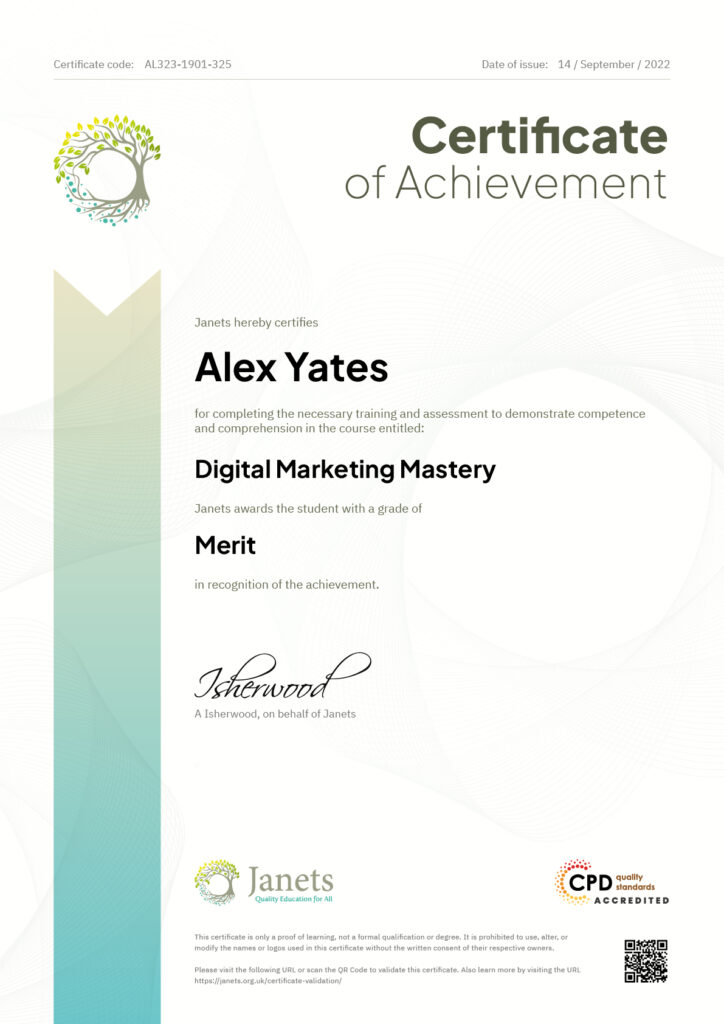
Yes, upon successfully completing the course, you will receive a certificate of completion. This certificate can be a valuable addition to your professional portfolio and can be shared on your various social networks.
We want you to have a positive learning experience. If you're not satisfied with the course, you can request a course transfer or refund within 14 days of the initial purchase.
Our platform provides tracking tools and progress indicators for each course. You can monitor your progress, completed lessons, and assessments through your learner dashboard for the course.
If you encounter technical issues or content-related difficulties with the course, our support team is available to assist you. You can reach out to them for prompt resolution.