


Course Library View the full range of courses
-
Accounting (145 courses)
- Xero Accounting and Bookkeeping Online
- Sage 50 Accounting & Payroll
- Project Finance
- Financial Modelling Training
- Tax Accounting
- Introduction to VAT
- Accounting and Finance Course for Managers
- Internal Compliance Auditor
- Financial Statement Analysis
- Payroll Administrator Level 3 Diploma
- View all Accounting courses
-
Language (67 courses)
- British Sign Language (BSL) Level 1 & 2
- Speech and Language Therapy Diploma
- TEFL (TESOL) Course
- English Spelling, Punctuation, and Grammar
- Child & Adult Speech & Language Disorders Training
- Teaching English as Foreign Language (TEFL) Certificate
- Mastering Spanish Language
- French Course for Beginners
- German Course for Beginners
- Body Language and Gesture Training
- View all Language courses
-
Teaching & Education (37 courses)
- Teaching Assistant Complete Course (TA, SEN, Autism, ADHD & Dyslexia) – CPD Certified
- EYFS Teaching Assistant Training Course
- Advanced Diploma in Coaching and Mentoring
- Level 3 Diploma in Teaching and Classroom Management
- Remote Teaching
- SENCO – Special Educational Needs Coordination
- Teaching English as Foreign Language (TEFL)
- Life Coaching
- Phonics Teaching Diploma
- View all Teaching & Education courses
-
Health and Social Care (138 courses)
- Health and Social Care Management
- Paediatric Nursing Assistant
- Mental Health Awareness Training
- Emergency Medicine – Paramedicine
- Level 3 Diploma in Adult Care
- Paediatric First Aid Training
- Safeguarding Children Level 3
- Level 3 Diploma in Anatomy and Physiology of Human Body
- Play Therapy
- The Care Certificate Preparation – Standards (1 to 15)
- View all Health and Social Care courses
-
Management (539 courses)
- Office Admin, Secretarial and PA Diploma
- Estate Agent and Property Management Training
- Diploma in Data Analysis Fundamentals
- Advanced Diploma in Stress & Anxiety Management
- Good Manufacturing Practice (GMP)
- Property Development and Management Course
- Diploma in Hotel Management
- Supply Chain Management
- Quality Assurance (QA) Manager
- Compliance and Risk Management
- View all Management courses
-
IT & Software (127 courses)
- Coding with Python 3
- Search Engine Optimisation (SEO) Training
- Cyber Security
- Motion Graphics with After Effects
- CompTIA A+ Core 1 (220-1101) Course
- Machine Learning for Aspiring Data Scientists
- Next.js Web Dev: Master this Powerful React Framework
- Learn 2D Animation with Adobe Animate
- GDPR Challenges in Education
- View all IT & Software courses
-
Employability (1043 courses)
- Office Administrator Skills
- Presentation Skills
- Legal Secretary and Office Skills
- Hospitality Management
- Estate Agent Diploma
- Hairdressing and Barbering
- Diploma in UK Employment Law
- Diploma in Data Analysis Fundamentals
- Building Surveyor Training
- Emotional Intelligence Training
- View all Employability courses
-
Personal Development (1439 courses)
- Productivity Habits
- Minute Taking Course
- Presentation Skills
- Excel: Top 50 Microsoft Excel Formulas in 50 Minutes!
- Critical Thinking and Problem Solving Skills
- Time Management
- Self Esteem and Confidence Building Course
- Essential IT Skills
- Legal Secretary and Office Skills
- Personality Development
- View all Personal Development courses


Microsoft Office 2019
1008 Students (112 Reviews)
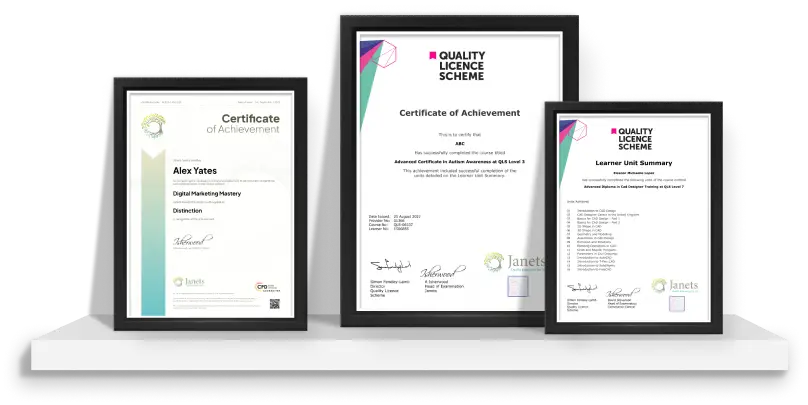
Master advanced Microsoft Office 2019 skills in Word, Excel, PowerPoint, and Access with this QLS endorsed Level 7 course. Enhance your productivity and unlock career opportunities.

Course Curriculum
| Microsoft Excel 2019 | |||
| Microsoft Excel 2019 New Features | |||
| Introduction to Microsoft Excel 2019 New Features | 00:07:00 | ||
| CONCAT | 00:02:00 | ||
| IFS | 00:01:00 | ||
| MAXIFS | 00:01:00 | ||
| MINIFS | 00:01:00 | ||
| SWITCH | 00:02:00 | ||
| TEXTJOIN | 00:01:00 | ||
| Map Chart | 00:02:00 | ||
| Funnel Chart | 00:01:00 | ||
| Better Visuals | 00:06:00 | ||
| Pivot Table Enhancements | 00:02:00 | ||
| Power Pivot Updates | 00:01:00 | ||
| Getting Started with Microsoft Excel | |||
| Navigate the Excel User Interface | 00:28:00 | ||
| Use Excel Commands | 00:10:00 | ||
| Create and Save a Basic Workbook | 00:19:00 | ||
| Enter Cell Data | 00:12:00 | ||
| Use Excel Help | 00:05:00 | ||
| Performing Calculations | |||
| Create Worksheet Formulas | 00:15:00 | ||
| Insert Functions | 00:17:00 | ||
| Reuse Formulas and Functions | 00:17:00 | ||
| Modifying a Worksheet | |||
| Insert, Delete, and Adjust Cells, Columns, and Rows | 00:10:00 | ||
| Search for and Replace Data | 00:09:00 | ||
| Use Proofing and Research Tools | 00:07:00 | ||
| Formatting a Worksheet | |||
| Apply Text Formats | 00:17:00 | ||
| Apply Number Format | 00:08:00 | ||
| Align Cell Contents | 00:09:00 | ||
| Apply Styles and Themes | 00:12:00 | ||
| Apply Basic Conditional Formatting | 00:11:00 | ||
| Create and Use Templates | 00:07:00 | ||
| Printing Workbooks | |||
| Preview and Print a Workbook | 00:10:00 | ||
| Set Up the Page Layout | 00:08:00 | ||
| Configure Headers and Footers | 00:07:00 | ||
| Managing Workbooks | |||
| Manage Worksheets | 00:05:00 | ||
| Manage Workbook and Worksheet Views | 00:07:00 | ||
| Manage Workbook Properties | 00:05:00 | ||
| Microsoft Word 2019 | |||
| Microsoft Word 2019 New Features | |||
| Introduction to Microsoft Word 2019 New Features | 00:14:00 | ||
| Inking Tools | 00:03:00 | ||
| Inking Tools 1 | 00:07:00 | ||
| Learning Tools | 00:07:00 | ||
| Microsoft Translate | 00:03:00 | ||
| LaTeX | 00:05:00 | ||
| Smart Lookup | 00:04:00 | ||
| Side to Side Scrolling | 00:02:00 | ||
| Scalable Vector Graphics | 00:03:00 | ||
| Getting Started with Word | |||
| Navigate in Microsoft Word | 00:12:00 | ||
| Create and Save Word Documents | 00:24:00 | ||
| Manage Your Workspace | 00:06:00 | ||
| Edit Documents | 00:16:00 | ||
| Preview and Print Documents | 00:04:00 | ||
| Customize the Word Environment | 00:08:00 | ||
| Formatting Text and Paragraphs | |||
| Apply Character Formatting | 00:17:00 | ||
| Control Paragraph Layout | 00:19:00 | ||
| Align Text Using Tabs | 00:07:00 | ||
| Display Text in Bulleted or Numbered Lists | 00:03:00 | ||
| Apply Borders and Shading | 00:04:00 | ||
| Working More Efficiently | |||
| Make Repetitive Edits | 00:06:00 | ||
| Apply Repetitive Formatting | 00:10:00 | ||
| Use Styles to Streamline Repetitive Formatting Tasks | 00:14:00 | ||
| Managing Lists | |||
| Sort a List | 00:05:00 | ||
| Format a List | 00:06:00 | ||
| Adding Tables | |||
| Insert a Table | 00:07:00 | ||
| Modify a Table | 00:06:00 | ||
| Format a Table | 00:03:00 | ||
| Convert Text to a Table | 00:04:00 | ||
| Inserting Graphic Objects | |||
| Insert Symbols and Special Characters | 00:04:00 | ||
| Add Images to a Document | 00:11:00 | ||
| Controlling Page Appearance | |||
| Apply a Page Border and Color | 00:03:00 | ||
| Add Headers and Footers | 00:06:00 | ||
| Control Page Layout | 00:05:00 | ||
| Add a Watermark | 00:04:00 | ||
| Preparing to Publish a Document | |||
| Check Spelling Grammar and Readability | 00:07:00 | ||
| Use Research Tools | 00:06:00 | ||
| Check Accessibility | 00:03:00 | ||
| Save a Document to Other Formats | 00:04:00 | ||
| Workbooks - Microsoft Word 2016 (Beginner) | |||
| Workbooks – Microsoft Word 2019 | 00:00:00 | ||
| Microsoft PowerPoint 2019 | |||
| Microsoft PowerPoint 2019 New Features | |||
| Introduction to Microsoft PowerPoint 2019 New Features | 00:06:00 | ||
| Highlighting | 00:02:00 | ||
| Morph Transition | 00:03:00 | ||
| Zoom | 00:03:00 | ||
| Vector Graphics | 00:03:00 | ||
| SVG Icons to Shapes | 00:04:00 | ||
| 3D Modeling | 00:04:00 | ||
| Background Removal | 00:03:00 | ||
| 4K | 00:03:00 | ||
| PowerPoint Interface | |||
| Navigate the PowerPoint Environment | 00:28:00 | ||
| View and Navigate a Presentation | 00:15:00 | ||
| Create and Save a PowerPoint Presentation | 00:13:00 | ||
| Use PowerPoint Help | 00:10:00 | ||
| Presentation Basics | |||
| Select a Presentation Type | 00:08:00 | ||
| Edit Text | 00:13:00 | ||
| Build a Presentation | 00:27:00 | ||
| Formatting | |||
| Format Characters | 00:11:00 | ||
| Format Paragraphs | 00:16:00 | ||
| Format Text Boxes | 00:09:00 | ||
| Inserting Options | |||
| Insert Images | 00:10:00 | ||
| Insert Shapes | 00:15:00 | ||
| Working with Objects | |||
| Edit Objects | 00:16:00 | ||
| Format Objects | 00:06:00 | ||
| Group Objects | 00:04:00 | ||
| Arrange Objects | 00:07:00 | ||
| Animate Objects | 00:07:00 | ||
| Table | |||
| Create a Table | 00:09:00 | ||
| Format a Table | 00:03:00 | ||
| Insert a Table from Other Microsoft Office Applications | 00:06:00 | ||
| Charts | |||
| Create a Chart | 00:10:00 | ||
| Format a Chart | 00:10:00 | ||
| Insert a Chart from Microsoft Excel | 00:05:00 | ||
| Review and Presentation | |||
| Review Your Presentation | 00:11:00 | ||
| Apply Transitions | 00:05:00 | ||
| Print Your Presentation | 00:05:00 | ||
| Deliver Your Presentation | 00:08:00 | ||
| Microsoft Access 2019 | |||
| Microsoft Access 2019 New Features | |||
| Introduction to Microsoft Access 2019 New Features | 00:05:00 | ||
| Window Resize | 00:01:00 | ||
| Charts | 00:02:00 | ||
| dbf | 00:01:00 | ||
| Large Number | 00:01:00 | ||
| Property Sorting | 00:01:00 | ||
| Introduction to Access | |||
| Orientation to Microsoft Access | 00:39:00 | ||
| Create a Simple Access Database | 00:10:00 | ||
| Get Help and Configure Options in Microsoft Access | 00:06:00 | ||
| Modify Data | |||
| Modify Table Data | 00:17:00 | ||
| Sort and Filter Records | 00:05:00 | ||
| Working with Queries | |||
| Create Basic Queries | 00:15:00 | ||
| Sort and Filter Data in a Query | 00:14:00 | ||
| Perform Calculations in a Query | 00:08:00 | ||
| Access Forms | |||
| Create Basic Access Forms | 00:07:00 | ||
| Work with Data on Access Forms | 00:23:00 | ||
| Working with Reports | |||
| Create a Report | 00:23:00 | ||
| Add Controls to a Report | 00:12:00 | ||
| Enhance the Appearance of a Report | 00:05:00 | ||
| Prepare a Report for Print | 00:03:00 | ||
| Organize Report Information | 00:15:00 | ||
| Format Reports | 00:12:00 | ||
| Assignment | |||
| Assignment – Microsoft Office 2019 | 3 weeks, 4 days | ||
| Recommended Materials | |||
| Workbook – Microsoft Office 2019 | 2 weeks, 1 day | ||
| Order Your Certificate | |||
| Order your Certificate QLS | 00:00:00 | ||

Original price was: £319.£25Current price is: £25. ex Vat
SAVE 92% - OFFER ENDS IN

 14-Day Money-Back Guarantee
- Personal
- Team
Quantity:
Total:
50% discount for orders of 10+ courses
60% discount for orders of 50+ courses
70% discount for orders of 100+ courses
For more personalised package, contact us



Frequently asked questions
Can’t find the anwser you’re looking for ? Reach out to customer support team.
Microsoft Office 2019 is not legally available for free. It is a paid software product. However, you might find free trials or discounts through educational institutions or promotions.
Office 2019 is still available for purchase from Microsoft and authorized retailers. However, Microsoft is increasingly promoting Office 365 (now called Microsoft 365), which is a subscription-based service.
How to download Office 2019 with a product key? To download Office 2019 with a product key: Visit the Microsoft Office website. Sign in with your Microsoft account. Enter your product key to verify your purchase. Follow the instructions to download and install Office 2019.
Yes, Microsoft Office 2019 is a one-time purchase product, meaning once you buy it, you own it permanently and can use it as long as you want without a subscription.
No, Office 2019 does not expire. It is a perpetual license, so you can use it indefinitely after purchase.
To activate Office 2019 permanently: Open any Office application (like Word or Excel). Click on "Activate" and enter your product key when prompted. Follow the on-screen instructions to complete the activation
Activating Office 2019 without a product key is not recommended as it may involve illegal methods. The legitimate way to activate Office 2019 is by purchasing a valid product key.
Microsoft Office is not available for free for a lifetime. You can use free alternatives like LibreOffice or Google Workspace if you do not wish to purchase Microsoft Office. Sometimes educational institutions provide free access to Office 365 to students and staff.
To change your Office 2019 product key: Open any Office application. Go to File > Account > Change Product Key. Enter the new product key and follow the prompts to activate it.
There is no official announcement from Microsoft indicating that Office 2024 will be free. Microsoft typically sells Office as a one-time purchase or through a subscription model like Microsoft 365.
You can use Office 2019 indefinitely after purchasing it. There is no expiration, but Microsoft typically provides support and updates for a limited number of years.
Yes, Office 2019 and earlier versions are available as one-time purchase products that do not require a subscription. However, Office 365 (Microsoft 365) is a subscription-based service.
Microsoft does not officially provide old versions of Office for free. However, you might find old versions being resold by third-party vendors, but they are not free.
To download Microsoft Office 2019, visit the Microsoft Office website, sign in with your Microsoft account, and enter your product key to download the software. Follow the installation instructions provided.
Genuine Microsoft Office is not available for free. However, you might get free access through educational institutions if you are a student or staff. Additionally, Microsoft offers a free online version with limited features at Office.com.