


Course Library View the full range of courses
-
Accounting (145 courses)
- Xero Accounting and Bookkeeping Online
- Sage 50 Accounting & Payroll
- Project Finance
- Financial Modelling Training
- Tax Accounting
- Introduction to VAT
- Accounting and Finance Course for Managers
- Internal Compliance Auditor
- Financial Statement Analysis
- Payroll Administrator Level 3 Diploma
- View all Accounting courses
-
Language (67 courses)
- British Sign Language (BSL) Level 1 & 2
- Speech and Language Therapy Diploma
- TEFL (TESOL) Course
- English Spelling, Punctuation, and Grammar
- Child & Adult Speech & Language Disorders Training
- Teaching English as Foreign Language (TEFL) Certificate
- Mastering Spanish Language
- French Course for Beginners
- German Course for Beginners
- Body Language and Gesture Training
- View all Language courses
-
Teaching & Education (37 courses)
- Teaching Assistant Complete Course (TA, SEN, Autism, ADHD & Dyslexia) – CPD Certified
- EYFS Teaching Assistant Training Course
- Advanced Diploma in Coaching and Mentoring
- Level 3 Diploma in Teaching and Classroom Management
- Remote Teaching
- SENCO – Special Educational Needs Coordination
- Teaching English as Foreign Language (TEFL)
- Life Coaching
- Phonics Teaching Diploma
- View all Teaching & Education courses
-
Health and Social Care (138 courses)
- Health and Social Care Management
- Paediatric Nursing Assistant
- Mental Health Awareness Training
- Emergency Medicine – Paramedicine
- Level 3 Diploma in Adult Care
- Paediatric First Aid Training
- Safeguarding Children Level 3
- Level 3 Diploma in Anatomy and Physiology of Human Body
- Play Therapy
- The Care Certificate Preparation – Standards (1 to 15)
- View all Health and Social Care courses
-
Management (539 courses)
- Office Admin, Secretarial and PA Diploma
- Estate Agent and Property Management Training
- Diploma in Data Analysis Fundamentals
- Advanced Diploma in Stress & Anxiety Management
- Good Manufacturing Practice (GMP)
- Property Development and Management Course
- Diploma in Hotel Management
- Supply Chain Management
- Quality Assurance (QA) Manager
- Compliance and Risk Management
- View all Management courses
-
IT & Software (124 courses)
- Coding with Python 3
- Search Engine Optimisation (SEO) Training
- Cyber Security
- Motion Graphics with After Effects
- CompTIA A+ Core 1 (220-1101) Course
- Machine Learning for Aspiring Data Scientists
- Next.js Web Dev: Master this Powerful React Framework
- Learn 2D Animation with Adobe Animate
- GDPR Challenges in Education
- View all IT & Software courses
-
Employability (1043 courses)
- Office Administrator Skills
- Presentation Skills
- Legal Secretary and Office Skills
- Hospitality Management
- Estate Agent Diploma
- Hairdressing and Barbering
- Diploma in UK Employment Law
- Diploma in Data Analysis Fundamentals
- Building Surveyor Training
- Emotional Intelligence Training
- View all Employability courses
-
Personal Development (1439 courses)
- Productivity Habits
- Minute Taking Course
- Presentation Skills
- Excel: Top 50 Microsoft Excel Formulas in 50 Minutes!
- Critical Thinking and Problem Solving Skills
- Time Management
- Self Esteem and Confidence Building Course
- Essential IT Skills
- Legal Secretary and Office Skills
- Personality Development
- View all Personal Development courses


Microsoft Visio 2016 for Beginners
18 Students (3 Reviews)
Learn Microsoft Visio 2016 from beginner level, covering templates, shapes, connectors, flowcharts, diagrams, formatting, layouts, and professional visual documentation.

Course Curriculum
| Getting Started with Visio 2016 | |||
| Navigate the Visio Environment | 00:15:00 | ||
| Create a Basic Drawing | 00:30:00 | ||
| Use the Help System | 00:15:00 | ||
| Creating a Workflow Diagram | |||
| Use Drawing Components | 00:30:00 | ||
| Modify a Drawing | 00:15:00 | ||
| Work with Callouts and Groups | 00:15:00 | ||
| Creating an Organization Chart | |||
| Create a Basic Organization Chart | 00:30:00 | ||
| Do More with Organization Charts | 00:15:00 | ||
| Making a Floor Plan | |||
| Make a Basic Floor Plan | 00:30:00 | ||
| Model a Room Layout | 00:15:00 | ||
| Creating a Cross-Functional Flowchart | |||
| Create a Cross-Functional Flowchart | 00:30:00 | ||
| Modify a Cross-functional Flowchart | 00:15:00 | ||
| Creating a Network Diagram | |||
| Create Network Diagrams | 00:15:00 | ||
| Use Shape Data | 00:15:00 | ||
| Use Layers | 00:30:00 | ||
| Styling a Diagram | |||
| Work with Shape and Connector Styles | 00:15:00 | ||
| Work with Themes and Variants | 00:15:00 | ||
| Work with Containers | 00:15:00 | ||
| Activities | |||
| Activities – Microsoft Visio 2016 for Beginners | 00:00:00 | ||
| Mock Exam | |||
| Mock Exam- Microsoft Visio 2016 for Beginners | 00:20:00 | ||
| Final Exam | |||
| Final Exam- Microsoft Visio 2016 for Beginners | 00:20:00 | ||
| Order your Certificates & Transcripts | |||
| Order your Certificates & Transcripts | 00:00:00 | ||

Original price was: £319.£25Current price is: £25. ex Vat
SAVE 92% - OFFER ENDS IN

 14-Day Money-Back Guarantee
- Personal
- Team
Quantity:
Total:
50% discount for orders of 10+ courses
60% discount for orders of 50+ courses
70% discount for orders of 100+ courses
For more personalised package, contact us


Frequently asked questions
Can’t find the anwser you’re looking for ? Reach out to customer support team.
It is an introductory course designed to help new users understand Microsoft Visio 2016 and create diagrams such as flowcharts, process maps, organisational charts, and other visual documents.
It is suitable for beginners, office professionals, administrators, project staff, business analysts, students, and anyone who needs to create structured visual diagrams.
No. The course starts with the fundamentals and introduces the main workspace, tools, templates, shapes, connectors, and diagram-building features.
You will learn how to navigate Visio 2016, select templates, add and connect shapes, insert text, format objects, organise layouts, create diagrams, and prepare visual documents for workplace use.
Visio is commonly used to create visual representations such as flowcharts, organisational charts, process diagrams, network diagrams, floor plans, and other structured business graphics.
Yes. Visio provides templates, shapes, connectors, and alignment tools that make it possible for beginners to create structured flowcharts once they understand the basic workflow.
Shapes are visual objects used to represent information, actions, processes, decisions, people, systems, or other elements within a diagram.
For this course, you will have access to the course materials for 1 year only. This means you can review the content as often as you like within the year, even after you've completed the course. However, if you buy Lifetime Access for the course, you will be able to access the course for a lifetime.
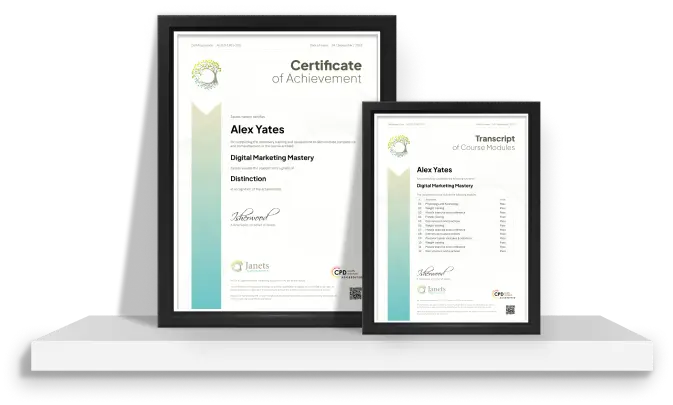
Yes, upon successfully completing the course, you will receive a certificate of completion. This certificate can be a valuable addition to your professional portfolio and can be shared on your various social networks.
We want you to have a positive learning experience. If you're not satisfied with the course, you can request a course transfer or refund within 14 days of the initial purchase.
Our platform provides tracking tools and progress indicators for each course. You can monitor your progress, completed lessons, and assessments through your learner dashboard for the course.
If you encounter technical issues or content-related difficulties with the course, our support team is available to assist you. You can reach out to them for prompt resolution.