


Course Library View the full range of courses
-

Accounting (124 courses)
- Xero Accounting and Bookkeeping Online
- Sage 50 Accounting & Payroll
- Project Finance
- Financial Modelling Training
- Tax Accounting
- Introduction to VAT
- Accounting and Finance Course for Managers
- Internal Compliance Auditor
- Financial Statement Analysis
- Payroll Administrator Level 3 Diploma
- View all Accounting courses
-
Language (66 courses)
- British Sign Language (BSL) Level 1 & 2
- Speech and Language Therapy Diploma
- TEFL (TESOL) Course
- English Spelling, Punctuation, and Grammar
- Child & Adult Speech & Language Disorders Training
- Teaching English as Foreign Language (TEFL) Certificate
- Mastering Spanish Language
- French Course for Beginners
- German Course for Beginners
- Body Language and Gesture Training
- View all Language courses
-
Teaching & Education (37 courses)
- Teaching Assistant Complete Course (TA, SEN, Autism, ADHD & Dyslexia) – CPD Certified
- EYFS Teaching Assistant Training Course
- Advanced Diploma in Coaching and Mentoring
- Level 3 Diploma in Teaching and Classroom Management
- Remote Teaching
- SENCO – Special Educational Needs Coordination
- Teaching English as Foreign Language (TEFL)
- Life Coaching
- Phonics Teaching Diploma
- View all Teaching & Education courses
-
Health and Social Care (137 courses)
- Health and Social Care Management
- Paediatric Nursing Assistant
- Mental Health Awareness Training
- Emergency Medicine – Paramedicine
- Level 3 Diploma in Adult Care
- Paediatric First Aid Training
- Safeguarding Children Level 3
- Level 3 Diploma in Anatomy and Physiology of Human Body
- Play Therapy
- The Care Certificate Preparation – Standards (1 to 15)
- View all Health and Social Care courses
-
Management (476 courses)
- Office Admin, Secretarial and PA Diploma
- Estate Agent and Property Management Training
- Diploma in Data Analysis Fundamentals
- Advanced Diploma in Stress & Anxiety Management
- Good Manufacturing Practice (GMP)
- Property Development and Management Course
- Diploma in Hotel Management
- Supply Chain Management
- Quality Assurance (QA) Manager
- Compliance and Risk Management
- View all Management courses
-
IT & Software (123 courses)
- Coding with Python 3
- Search Engine Optimisation (SEO) Training
- Cyber Security
- Motion Graphics with After Effects
- CompTIA A+ Core 1 (220-1101) Course
- Machine Learning for Aspiring Data Scientists
- Next.js Web Dev: Master this Powerful React Framework
- Learn 2D Animation with Adobe Animate
- GDPR Challenges in Education
- View all IT & Software courses
-
Employability (1030 courses)
- Office Administrator Skills
- Presentation Skills
- Legal Secretary and Office Skills
- Hospitality Management
- Estate Agent Diploma
- Hairdressing and Barbering
- Diploma in UK Employment Law
- Diploma in Data Analysis Fundamentals
- Building Surveyor Training
- Emotional Intelligence Training
- View all Employability courses
-
Personal Development (1407 courses)
- Productivity Habits
- Minute Taking Course
- Presentation Skills
- Excel: Top 50 Microsoft Excel Formulas in 50 Minutes!
- Critical Thinking and Problem Solving Skills
- Time Management
- Self Esteem and Confidence Building Course
- Essential IT Skills
- Legal Secretary and Office Skills
- Personality Development
- View all Personal Development courses


Ultimate Microsoft Office 4 Courses Bundle
55 Students (8 Reviews)
Master Microsoft Word, Excel, PowerPoint, Outlook, and essential workplace productivity skills with this complete Office courses bundle.
Course Curriculum
| Microsoft Excel 2019 | |||
| Microsoft Excel 2019 New Features | |||
| Introduction to Microsoft Excel 2019 New Features | 00:07:00 | ||
| CONCAT | 00:02:00 | ||
| IFS | 00:01:00 | ||
| MAXIFS | 00:01:00 | ||
| MINIFS | 00:01:00 | ||
| SWITCH | 00:02:00 | ||
| TEXTJOIN | 00:01:00 | ||
| Map Chart | 00:02:00 | ||
| Funnel Chart | 00:01:00 | ||
| Better Visuals | 00:06:00 | ||
| Pivot Table Enhancements | 00:02:00 | ||
| Power Pivot Updates | 00:01:00 | ||
| Getting Started with Microsoft Excel | |||
| Navigate the Excel User Interface | 00:28:00 | ||
| Use Excel Commands | 00:10:00 | ||
| Create and Save a Basic Workbook | 00:19:00 | ||
| Enter Cell Data | 00:12:00 | ||
| Use Excel Help | 00:05:00 | ||
| Performing Calculations | |||
| Create Worksheet Formulas | 00:15:00 | ||
| Insert Functions | 00:17:00 | ||
| Reuse Formulas and Functions | 00:17:00 | ||
| Modifying a Worksheet | |||
| Insert, Delete, and Adjust Cells, Columns, and Rows | 00:10:00 | ||
| Search for and Replace Data | 00:09:00 | ||
| Use Proofing and Research Tools | 00:07:00 | ||
| Formatting a Worksheet | |||
| Apply Text Formats | 00:17:00 | ||
| Apply Number Format | 00:08:00 | ||
| Align Cell Contents | 00:09:00 | ||
| Apply Styles and Themes | 00:12:00 | ||
| Apply Basic Conditional Formatting | 00:11:00 | ||
| Create and Use Templates | 00:07:00 | ||
| Printing Workbooks | |||
| Preview and Print a Workbook | 00:10:00 | ||
| Set Up the Page Layout | 00:08:00 | ||
| Configure Headers and Footers | 00:07:00 | ||
| Managing Workbooks | |||
| Manage Worksheets | 00:05:00 | ||
| Manage Workbook and Worksheet Views | 00:07:00 | ||
| Manage Workbook Properties | 00:05:00 | ||
| Microsoft Word 2019 | |||
| Microsoft Word 2019 New Features | |||
| Introduction to Microsoft Word 2019 New Features | 00:14:00 | ||
| Inking Tools | 00:03:00 | ||
| Inking Tools 1 | 00:07:00 | ||
| Learning Tools | 00:07:00 | ||
| Microsoft Translate | 00:03:00 | ||
| LaTeX | 00:05:00 | ||
| Smart Lookup | 00:04:00 | ||
| Side to Side Scrolling | 00:02:00 | ||
| Scalable Vector Graphics | 00:03:00 | ||
| Getting Started with Word | |||
| Navigate in Microsoft Word | 00:12:00 | ||
| Create and Save Word Documents | 00:24:00 | ||
| Manage Your Workspace | 00:06:00 | ||
| Edit Documents | 00:16:00 | ||
| Preview and Print Documents | 00:04:00 | ||
| Customize the Word Environment | 00:08:00 | ||
| Formatting Text and Paragraphs | |||
| Apply Character Formatting | 00:17:00 | ||
| Control Paragraph Layout | 00:19:00 | ||
| Align Text Using Tabs | 00:07:00 | ||
| Display Text in Bulleted or Numbered Lists | 00:03:00 | ||
| Apply Borders and Shading | 00:04:00 | ||
| Working More Efficiently | |||
| Make Repetitive Edits | 00:06:00 | ||
| Apply Repetitive Formatting | 00:10:00 | ||
| Use Styles to Streamline Repetitive Formatting Tasks | 00:14:00 | ||
| Managing Lists | |||
| Sort a List | 00:05:00 | ||
| Format a List | 00:06:00 | ||
| Adding Tables | |||
| Insert a Table | 00:07:00 | ||
| Modify a Table | 00:06:00 | ||
| Format a Table | 00:03:00 | ||
| Convert Text to a Table | 00:04:00 | ||
| Inserting Graphic Objects | |||
| Insert Symbols and Special Characters | 00:04:00 | ||
| Add Images to a Document | 00:11:00 | ||
| Controlling Page Appearance | |||
| Apply a Page Border and Color | 00:03:00 | ||
| Add Headers and Footers | 00:06:00 | ||
| Control Page Layout | 00:05:00 | ||
| Add a Watermark | 00:04:00 | ||
| Preparing to Publish a Document | |||
| Check Spelling Grammar and Readability | 00:07:00 | ||
| Use Research Tools | 00:06:00 | ||
| Check Accessibility | 00:03:00 | ||
| Save a Document to Other Formats | 00:04:00 | ||
| Workbooks - Microsoft Word 2016 (Beginner) | |||
| Workbooks – Microsoft Word 2019 | 00:00:00 | ||
| Microsoft PowerPoint 2019 | |||
| Microsoft PowerPoint 2019 New Features | |||
| Introduction to Microsoft PowerPoint 2019 New Features | 00:06:00 | ||
| Highlighting | 00:02:00 | ||
| Morph Transition | 00:03:00 | ||
| Zoom | 00:03:00 | ||
| Vector Graphics | 00:03:00 | ||
| SVG Icons to Shapes | 00:04:00 | ||
| 3D Modeling | 00:04:00 | ||
| Background Removal | 00:03:00 | ||
| 4K | 00:03:00 | ||
| PowerPoint Interface | |||
| Navigate the PowerPoint Environment | 00:28:00 | ||
| View and Navigate a Presentation | 00:15:00 | ||
| Create and Save a PowerPoint Presentation | 00:13:00 | ||
| Use PowerPoint Help | 00:10:00 | ||
| Presentation Basics | |||
| Select a Presentation Type | 00:08:00 | ||
| Edit Text | 00:13:00 | ||
| Build a Presentation | 00:27:00 | ||
| Formatting | |||
| Format Characters | 00:11:00 | ||
| Format Paragraphs | 00:16:00 | ||
| Format Text Boxes | 00:09:00 | ||
| Inserting Options | |||
| Insert Images | 00:10:00 | ||
| Insert Shapes | 00:15:00 | ||
| Working with Objects | |||
| Edit Objects | 00:16:00 | ||
| Format Objects | 00:06:00 | ||
| Group Objects | 00:04:00 | ||
| Arrange Objects | 00:07:00 | ||
| Animate Objects | 00:07:00 | ||
| Table | |||
| Create a Table | 00:09:00 | ||
| Format a Table | 00:03:00 | ||
| Insert a Table from Other Microsoft Office Applications | 00:06:00 | ||
| Charts | |||
| Create a Chart | 00:10:00 | ||
| Format a Chart | 00:10:00 | ||
| Insert a Chart from Microsoft Excel | 00:05:00 | ||
| Review and Presentatin | |||
| Review Your Presentation | 00:11:00 | ||
| Apply Transitions | 00:05:00 | ||
| Print Your Presentation | 00:05:00 | ||
| Deliver Your Presentation | 00:08:00 | ||
| Microsoft Access 2019 | |||
| Microsoft Access 2019 New Features | |||
| Introduction to Microsoft Access 2019 New Features | 00:05:00 | ||
| Window Resize | 00:01:00 | ||
| Charts | 00:02:00 | ||
| dbf | 00:01:00 | ||
| Large Number | 00:01:00 | ||
| Property Sorting | 00:01:00 | ||
| Introduction to Access | |||
| Orientation to Microsoft Access | 00:39:00 | ||
| Create a Simple Access Database | 00:10:00 | ||
| Get Help and Configure Options in Microsoft Access | 00:06:00 | ||
| Modify Data | |||
| Modify Table Data | 00:17:00 | ||
| Sort and Filter Records | 00:05:00 | ||
| Working with Queries | |||
| Create Basic Queries | 00:15:00 | ||
| Sort and Filter Data in a Query | 00:14:00 | ||
| Perform Calculations in a Query | 00:08:00 | ||
| Access Forms | |||
| Create Basic Access Forms | 00:07:00 | ||
| Work with Data on Access Forms | 00:23:00 | ||
| Working with Reports | |||
| Create a Report | 00:23:00 | ||
| Add Controls to a Report | 00:12:00 | ||
| Enhance the Appearance of a Report | 00:05:00 | ||
| Prepare a Report for Print | 00:03:00 | ||
| Organize Report Information | 00:15:00 | ||
| Format Reports | 00:12:00 | ||
| Assignment | |||
| Assignment – Ultimate Microsoft Office 4 Courses Bundle | 3 weeks, 3 days | ||
| Order Your Certificate | |||
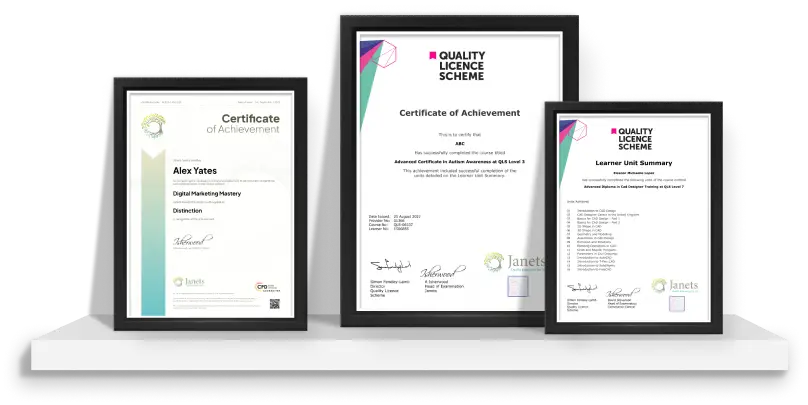
| Order your Certificate QLS | 00:00:00 | ||

Original price was: £319.£25Current price is: £25. ex Vat
SAVE 92% - OFFER ENDS IN

 ALL
COURSES FOR £49
ALL
COURSES FOR £49  14-Day Money-Back Guarantee
- Personal
- Team
Quantity:
Total:
50% discount for orders of 10+ courses
60% discount for orders of 50+ courses
70% discount for orders of 100+ courses
For more personalised package, contact us



Frequently asked questions
Can’t find the anwser you’re looking for ? Reach out to customer support team.
The Ultimate Microsoft Office 4 Courses Bundle is a complete training programme designed to teach essential Microsoft Office applications. It helps learners develop practical skills in creating documents, managing data, preparing presentations, and improving workplace productivity.
You will learn how to use Microsoft Word for documents, Excel for spreadsheets and data analysis, PowerPoint for presentations, and Outlook for emails and calendar management. The course also covers productivity techniques and professional file management.
Yes, this course is suitable for complete beginners. It starts with the basics and gradually introduces useful features, allowing learners to build confidence and develop practical Microsoft Office skills.
Microsoft Office skills are widely used in workplaces worldwide. They help professionals complete tasks efficiently, communicate clearly, organise information, and improve overall productivity.
This bundle includes four major Microsoft Office applications: Microsoft Word, Microsoft Excel, Microsoft PowerPoint, and Microsoft Outlook, covering essential workplace and business tasks.
Yes, Microsoft Office skills are valuable for many entry-level and professional roles. Employers often look for candidates who can confidently use office software for daily tasks.
You can develop document creation, spreadsheet management, presentation design, email organisation, data handling, formatting, and workplace productivity skills.
Students, office workers, administrators, managers, entrepreneurs, teachers, and job seekers can all benefit from improving their Microsoft Office knowledge.
No advanced computer experience is required. Basic computer knowledge and an interest in learning are enough to start this course.
These skills are used in offices, schools, businesses, government organisations, financial institutions, and many professional environments.
Yes, Microsoft Office is one of the most widely recognised digital skills and can support career development across many industries.
Yes, you can progress into advanced Excel, data analysis, business software, project management tools, or other digital skills training.
Career opportunities include Administrative Assistant, Office Administrator, Data Entry Specialist, Business Support Assistant, Executive Assistant, Project Coordinator, Customer Service Administrator, and Operations Assistant.